

Table of Contents
You want the lowest ping possible to dominate the server. Does upgrading to a Cat 8 cable actually reduce lag compared to standard Cat 6?
Let’s cut through the marketing hype. We will test the specs and reveal if that expensive cable really gives you the edge you need to win.
Key Takeaways
- Cat 8 bandwidth is overkill for gaming; Cat 6 is sufficient for all modern titles.
- Both cables offer virtually identical latency performance for home gaming setups.
- Improper Cat 8 grounding can actually increase interference and lag.
- Save your money and focus on optimizing router settings to lower your ping.
Cat 6 vs Cat 8 Speed: Mythbusting Bandwidth vs. Latency
Gamers often chase the highest numbers, believing more is always better.
When it comes to Ethernet cables, you might think Cat 8’s superior bandwidth is better.
However, assuming it automatically translates to lower latency for your intense gaming sessions is a common misconception.
Let us bust this myth wide open.
Bandwidth vs. Latency: The Real Difference
First, understand these two critical terms. Bandwidth refers to the maximum amount of data that can be transferred over a connection at any given time.
Think of it as the width of a highway. A wider highway (more bandwidth) allows more cars (data) to pass simultaneously.
Latency, on the other hand, is the time it takes for a data packet to travel from its source to its destination and back.
It is the crucial factor for competitive gaming.
This is like the speed limit and traffic on that highway. Even on a wide highway, traffic jams cause delays.
Why Cat 8 Bandwidth Is Overkill for Gaming
Cat 6 cables offer up to 10 Gigabit per second (Gbps) bandwidth. Cat 8 cables dramatically boost this to 40 Gbps. These are massive numbers.
However, online gaming uses surprisingly little bandwidth. Most competitive titles require only 1-5 Mbps of stable bandwidth.
Yes, you read that right. A mere fraction of what Cat 6 provides, let alone Cat 8. Your actual gaming experience relies on low latency, not immense bandwidth.
Your connection might be a superhighway with Cat 8, but if only a tiny car is driving on it, the extra lanes do not make it arrive any faster.
A bar chart showing typical internet bandwidth usage: Online Gaming (Peak) 5 Mbps, Video Conferencing (HD) 8 Mbps, 4K Video Streaming 25 Mbps, and Large File Download (100Mbps connection) 100 Mbps.
The Real Latency Culprits
So, if Cat 8 does not magically drop your ping, what does?
Your ISP, router quality, server distance, and network congestion are the true champions of latency reduction.
These factors introduce far more delay than any minor difference between Cat 6 and Cat 8 cables.
Fixing issues like bufferbloat and packet loss will have a much greater impact.
It is far more effective than upgrading your Ethernet cable beyond Cat 6.
Cat 6 vs. Cat 8: Key Specs for Gamers
Here is a quick breakdown of what matters most for competitive play:
| Feature | Cat 6 | Cat 8 |
|---|---|---|
| Max Bandwidth | 10 Gbps | 40 Gbps |
| Max Frequency | 250 MHz | 2000 MHz |
| Max Distance (10Gbps) | 55 meters | 30 meters |
| Latency Impact | Minimal (virtually identical to Cat 8) | Minimal (virtually identical to Cat 6) |
| Cost | Lower | Higher |
As you can see, Cat 8’s advantages are mainly in frequency and raw bandwidth, not in practical latency for typical home gaming setups.
Cat 8 supports its top speeds only over shorter distances (30m). Cat 6 cables are versatile and handle gigabit speeds up to 100 meters.
Your Edge: Focus on True Optimizers
Do not fall for the “more bandwidth equals less lag” trap. For competitive gaming, a high-quality Cat 6 cable is more than sufficient.
Instead, focus on optimizing your internet connection, router settings, and in-game configurations to truly reduce latency.
Test your network performance on Joltfly and challenge your friends. See if you can dominate your gaming circle with actual low-latency strategies.
In Short
- Cat 8 cables’ higher bandwidth is largely unnecessary for online gaming, as gaming requires minimal data.
- For competitive gaming, latency is crucial, and Cat 8 cables offer virtually no latency improvement over Cat 6.
- Gaming latency is primarily influenced by factors like ISP, router quality, and network congestion, not the minor differences between Cat 6 and Cat 8 cables.
The Hidden Risk: How Cat 8 Can Actually Worsen Connection Quality
You might think upgrading to the latest, most powerful Cat 8 Ethernet cable is an automatic win for gaming. Bigger numbers, better performance, right?
Hold up, gamer. Sometimes, chasing the absolute peak specs can backfire.
For most competitive gamers, Cat 8 can actually introduce unforeseen problems. These issues can even make your connection worse than with a reliable Cat 6 cable.
Overkill for Gaming Setups
Cat 8 cables boast incredible specifications. They support speeds up to 40 Gbps and frequencies up to 2000 MHz. This sounds amazing on paper.
However, your home network likely won’t even scratch the surface of these capabilities. Most residential internet plans max out far below these speeds.
For example, the median fixed broadband download speed in the U.S. was 225.26 Mbps in Q3 2023.
A Cat 6 cable comfortably handles up to 10 Gbps. This is significantly more than typical gaming needs.
A bar chart comparing median U.S. fixed broadband speed (0.225 Gbps) to Cat 6 (10 Gbps) and Cat 8 (40 Gbps) maximum capacities. Data from Ookla Speedtest Global Index.
The extra capacity of Cat 8 simply goes unused. It offers no tangible benefit for your gaming latency or bandwidth.
Installation Headaches and Signal Integrity
Cat 8 cables are thicker and much less flexible than Cat 6 or Cat 6a. This is due to their heavy shielding, designed for data center environments.
Installing rigid cables in a home setup can be challenging. Improper bending, kinks, or tight turns can damage the cable.
This compromises its performance and shielding effectiveness.
Poor installation can introduce electromagnetic interference (EMI) or crosstalk. This is especially true if connectors aren’t perfectly terminated.
You might unknowingly degrade your signal quality.
The advanced shielding of Cat 8 requires careful grounding. If not done correctly, it can actually act as an antenna, picking up noise instead of rejecting it.
The True Latency Culprits
Real gaming latency is rarely bottlenecked by your Ethernet cable type, assuming it’s a modern standard like Cat 5e, Cat 6, or Cat 6a.
Other factors have a far greater impact on your ping and overall connection stability:
- Your internet service provider (ISP) and their infrastructure.
- The distance to the game server you are playing on.
- Your router’s quality, firmware, and processing power.
- Network congestion, both within your home and on your ISP’s network.
- Issues like bufferbloat and packet loss, which you can mitigate with proper QoS settings.
Don’t fall for the marketing hype. Invest in a stable internet connection and a high-quality router before considering extreme cable upgrades.
For most gamers, a well-installed Cat 6 or Cat 6a cable will provide all the speed and reliability needed to dominate your opponents.
Want to check your system’s overall responsiveness? Head over to Joltfly’s Device Tests to measure your mouse and keyboard latency.
Ensure your setup is truly optimized for victory!
The Problem with Shielded (STP) Cables on Consumer Hardware
Many gamers chase every possible edge.
You might think a shielded ethernet cable, like Cat 8, offers superior protection from electromagnetic interference (EMI).
These cables are designed for industrial settings with heavy machinery. They are built to shield against significant external noise.
However, for your home gaming setup, shielded cables can introduce more problems than they solve.
Your consumer-grade gear likely lacks proper grounding for these advanced cables. This leads to unexpected issues.
Without a true, robust ground, the shield in an STP cable can act as an antenna.
Instead of blocking EMI, it picks up noise. This noise then travels through your system.
It can create a “ground loop” and inject unwanted electrical interference into your network.
This can actually increase your gaming latency.
That’s right, the cable meant to protect your signal could be making your ping worse.
Think about it: a fluctuating signal impacts packet delivery. This can directly translate to frustrating lag spikes.
You need stable, clean data flow to dominate.
Unshielded Twisted Pair (UTP) cables like Cat 6 or Cat 6a are usually the superior choice for home gamers.
They rely on twisted pairs to cancel out noise, which works perfectly for typical household EMI. They don’t require the complex grounding of STP.
STP vs. UTP for Consumer Gaming
| Feature | Shielded (STP) Ethernet | Unshielded (UTP) Ethernet |
|---|---|---|
| Cost | Higher | Lower |
| Installation | Requires proper grounding | Plug-and-play |
| EMI Protection | Effective with proper grounding | Good for typical home environments |
| Ground Loops | Prone to if improperly grounded | Not an issue |
| Gaming Latency | Potentially worse without proper ground | Generally stable and reliable |
Before investing in expensive Cat 8 STP cables, assess your environment.
If you don’t have industrial-level EMI, a quality UTP cable will serve you better.
Focus on stability, not just theoretical speed.
Don’t let your gear hold you back. Test your current network stability and responsiveness.
Use Joltfly’s lag and packet loss tools to uncover any hidden issues.
Challenge your friends to see who has the most optimized setup!
In Short
- Cat 8 Ethernet cables are overkill for most home gaming setups, as typical internet speeds do not utilize their high capacity, and Cat 6 cables are sufficient.
- Improper installation or lack of proper grounding for Cat 8’s advanced shielding can degrade signal quality, introduce noise, and potentially increase gaming latency.
Practical Considerations: Cost, Stiffness, and Future-Proofing
Cost of Dominance: Is the Premium Worth It?
Stepping up your gaming rig often involves investing in top-tier gear. Ethernet cables are no different.
Cat 6 cables offer excellent performance at an accessible price point.
Cat 8 cables, however, come with a noticeable premium. They are engineered for significantly higher bandwidth and frequency.
This increased capability drives up manufacturing costs, impacting your wallet directly.
Consider your current internet speed and router capabilities before splurging.
Many home setups won’t fully utilize Cat 8’s extreme potential yet.
The chart below illustrates a typical cost comparison for a standard cable length.
A bar chart comparing average prices for a 50ft ethernet cable in 2024: Cat 6 ($15) vs Cat 8 ($35).
Flexibility and Installation Headaches
The physical characteristics of your cable matter, especially for a clean gaming setup.
Cat 6 cables are generally more flexible and thinner.
This makes them easier to route behind desks, through walls, or around corners without much fuss.
Cat 8 cables are built with heavier shielding to achieve their high-performance ratings.
This extra shielding makes them thicker and notably stiffer.
You might find Cat 8 cables challenging to bend into tight spaces.
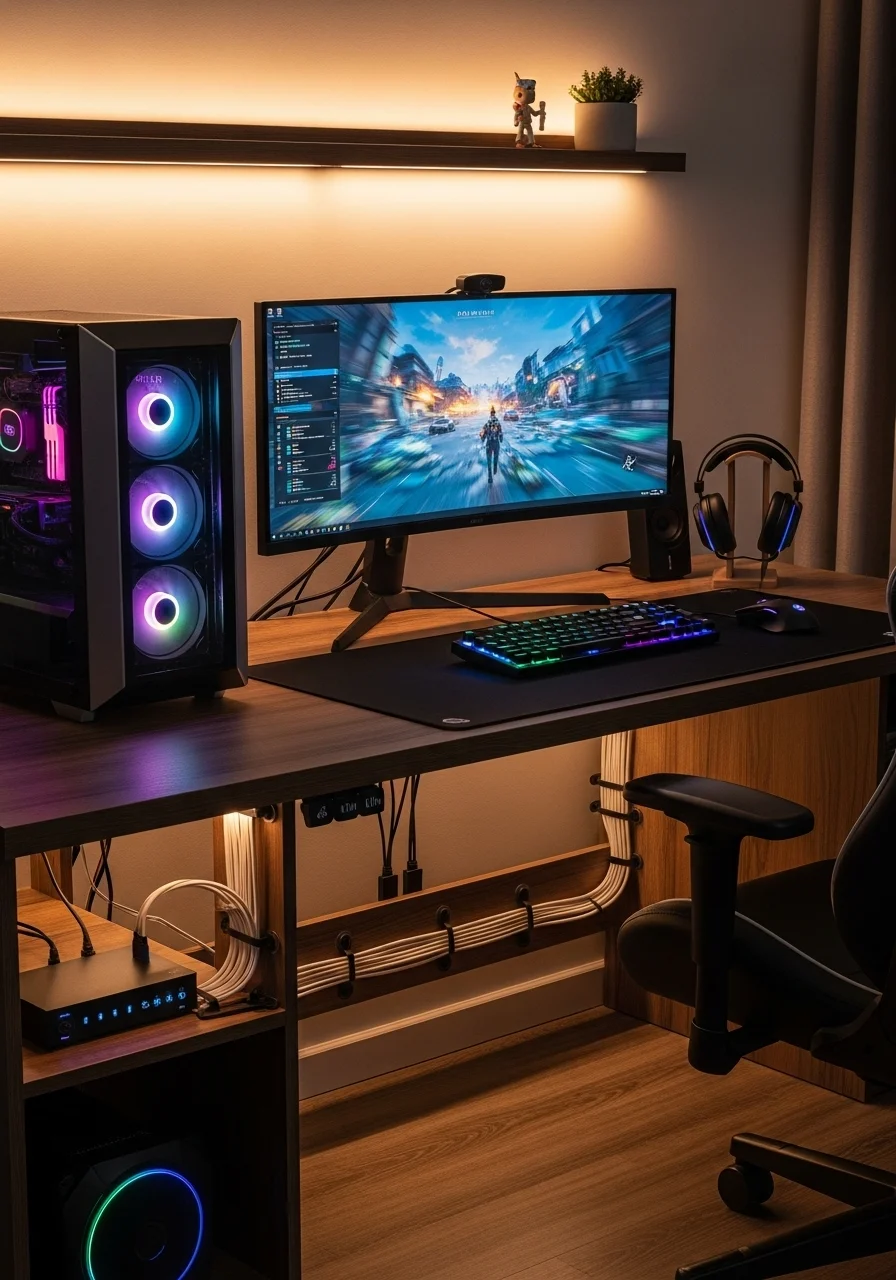
Proper cable management might require more effort with Cat 8.
The Future-Proofing Edge
Investing in your network hardware is about more than just today’s performance.
It’s about anticipating tomorrow’s demands.
While Cat 6 easily handles gigabit internet (1 Gbps), Cat 8 is designed for 25 Gigabit Ethernet and 40 Gigabit Ethernet.
This massive jump in bandwidth might seem overkill now, but internet speeds are constantly increasing.
Larger game downloads, higher resolution streaming, and cloud gaming services demand more throughput.
Choosing Cat 8 offers a significant future-proof advantage.
It ensures your network backbone can support technologies not yet mainstream.
For competitive gamers, minimizing input lag is always the goal, and a robust network helps.
Cat 6 vs. Cat 8: Practical Considerations
| Feature | Cat 6 | Cat 8 |
|---|---|---|
| Cost | Lower | Higher |
| Flexibility | More Flexible | Stiffer, Thicker |
| Installation | Easier to Route | More Challenging |
| Bandwidth Support | Up to 10 Gbps (short distances) | Up to 40 Gbps |
| Frequency | Up to 250 MHz | Up to 2000 MHz |
| Future-Proofing | Good for current Gigabit | Excellent for future 25/40 Gbps |
Your Next Move
The choice between Cat 6 and Cat 8 depends on your specific needs, budget, and future aspirations.
If you’re aiming for absolute peak performance and longevity, Cat 8 is a solid, albeit pricier, investment.
For most competitive gamers today, Cat 6 still provides exceptional, low-latency performance.
Ready to push your skills? Test your reaction time and clicking speed on Joltfly’s Click Speed Test.
Check out our other Device Tests now!
In Short
- Cat 8 cables offer significantly higher bandwidth and future-proofing, but are notably more expensive and stiffer than Cat 6.
- Cat 6 cables are more affordable, flexible, and easier to install, providing excellent performance for most current gigabit internet requirements.
- The choice between Cat 6 and Cat 8 depends on current internet speed, budget, ease of installation, and anticipation of future network demands.
Final Verdict: Which Cable Wins for Competitive Gaming?
For competitive gaming, the ultimate verdict between Cat 6 and Cat 8 Ethernet cables is clear.
While Cat 8 boasts superior specifications, a Cat 6 cable is often more than enough to achieve peak performance.
The key differentiator for gamers is latency, not raw bandwidth beyond what your ISP provides.
Both cable types deliver extremely low latency, usually measured in nanoseconds, making the difference imperceptible in actual gameplay.
Cat 6 cables support speeds up to 1 Gigabit per second (Gbps) over 100 meters, and 10 Gbps for shorter runs up to 55 meters.
This is more than sufficient for even the fastest internet connections available to most homes.
Cat 8, on the other hand, is designed for demanding data centers, offering 25 Gbps or 40 Gbps over distances up to 30 meters.
This massive bandwidth is overkill for your typical gaming setup.
Here’s a quick look at the core differences:
| Feature | Cat 6 | Cat 8 |
|---|---|---|
| Max Bandwidth | 1 Gbps (10 Gbps up to 55m) | 25 Gbps or 40 Gbps |
| Max Frequency | 250 MHz | 2000 MHz |
| Shielding | Often unshielded (UTP) or shielded (STP) | Always shielded (S/FTP or F/UTP) |
| Max Length for Max Speed | 100 meters (1 Gbps) / 55 meters (10 Gbps) | 30 meters (25/40 Gbps) |
| Cost | Lower | Higher |
While theoretical speeds are impressive for Cat 8, remember that your gaming experience is bottlenecked by your internet service provider’s speed.
Your router, server distance, and overall system optimization also play a much larger role in reducing latency than the cable generation.
Focus on optimizing your entire gaming chain. Factors like your response time versus input lag are critical.
Also, managing network congestion with QoS settings or ensuring your PC isn’t throttling can yield far greater improvements.
For most gamers, a high-quality Cat 6 cable will deliver the exact same in-game latency as a Cat 8 cable.
The negligible difference in signal propagation speed won’t translate into a tangible competitive advantage.
Unless you’re running a professional server farm or have a specific need for multi-gigabit speeds over short distances, Cat 8 isn’t necessary.
Investing in a Cat 8 cable for gaming won’t provide a noticeable edge.
Here’s how these cables stack up in terms of maximum theoretical bandwidth:
A bar chart showing maximum theoretical bandwidth: Cat 6 (1 Gbps), Cat 6 (10 Gbps up to 55m), Cat 8 (25 Gbps), and Cat 8 (40 Gbps).
Your money is better spent on a faster internet plan, a powerful gaming PC, or even a higher polling rate mouse, not an overpowered Ethernet cable.
To truly dominate, focus on measurable improvements.
Test your mouse polling rate or fine-tune your aim with Joltfly’s Aim Trainer.
These actions will directly impact your gameplay and help you conquer your gaming circle.
In Short
- For competitive gaming, a Cat 6 Ethernet cable provides sufficient performance and the same low latency as a Cat 8 cable.
- Cat 8’s higher bandwidth is overkill for typical gaming setups and offers no tangible competitive advantage over Cat 6.
- Gamers should prioritize optimizing their entire setup, including ISP speed and PC hardware, for better performance rather than investing in a Cat 8 cable.
