

Table of Contents
- True Latency Explained: The Math Behind Frequency and Timings
- Gaming Performance: Why 1% Lows Matter More Than Averages
- The ROI of RAM: Analyzing Price-to-Performance and Diminishing Returns
- Platform Optimization: Matching RAM to AMD Infinity Fabric and Intel
- DDR4 vs. DDR5: Choosing the Right Kit for Your Budget
Stop guessing with your hardware and start dominating.
Most gamers obsess over frequency numbers, but without tight timings, that speed is wasted.
Understanding the balance between the two is the secret weapon you need for smoother frames and snappier reactions.
In this guide, we strip away the marketing fluff to reveal the math of true latency.
You will learn exactly how to tune your RAM to eliminate micro-stutters and gain a competitive edge.
Let’s optimize your setup so you can focus on winning.
Key Takeaways
- True latency depends on the balance between RAM frequency and CAS timings, not just one metric.
- Improving 1% low FPS is more critical than average FPS for eliminating stutters in competitive play.
- The sweet spot for price-to-performance is typically DDR4-3600MHz or DDR5-6000MHz.
- AMD Ryzen users must sync RAM frequency with the Infinity Fabric (FCLK) for a 1:1 ratio.
- Optimizing RAM directly reduces input lag, which you can verify using Joltfly’s testing tools.
True Latency Explained: The Math Behind Frequency and Timings
Ready to unlock peak gaming performance?
Understanding RAM true latency is key.
It is the real-world delay your system experiences, not just the numbers on the packaging.
You need to go beyond simply looking at frequency or timings in isolation. The synergy between them dictates your RAM’s actual speed.
Calculating True Latency for Your RAM
True latency measures how long it takes for your RAM to respond to a request. This is expressed in nanoseconds (ns). Lower numbers mean faster data access.
To calculate true latency, use this formula:
True Latency (ns) = (CAS Latency / Memory Frequency) * 2000
This formula converts the timing cycles into a measurable time. Regarding memory frequency, remember that DDR4-3600 effectively runs at 1800MHz because it is Double Data Rate.
Frequency vs. CAS Latency: The Dynamic Duo
Memory Frequency, measured in MHz, dictates how many cycles your RAM completes per second. Higher frequency means more cycles.
CAS Latency (CL), a primary timing, tells you how many clock cycles it takes for the RAM to respond to a column access request. Lower CL means fewer cycles.
Think of it like this: Frequency is how fast your RAM works, and CAS Latency is how many steps it takes to start. Both matter immensely for gaming.
Practical Examples for Gamers
Let’s crunch some numbers to see how different RAM configurations stack up:
| RAM Kit | Frequency (MHz) | CAS Latency (CL) | True Latency (ns) |
|---|---|---|---|
| DDR4-3200 CL16 | 3200 | 16 | 10.0 ns |
| DDR4-3600 CL18 | 3600 | 18 | 10.0 ns |
| DDR4-3600 CL16 | 3600 | 16 | 8.89 ns |
| DDR4-4000 CL18 | 4000 | 18 | 9.0 ns |
Notice how 3200 CL16 and 3600 CL18 have the same true latency?
This proves why focusing on just one number is a mistake.
Optimal performance comes from balancing both.

Why Lower True Latency Boosts Your Game
In competitive gaming, every nanosecond counts.
Lower true latency means faster access to game assets, textures, and critical data.
This translates to several benefits.
You’ll experience higher minimum FPS, smoother frametimes, and reduced input lag. It allows your CPU to access data faster, preventing bottlenecks.
This edge is crucial for skill-based games where split-second decisions dominate. Better RAM can literally improve your in-game reaction time.
Want to optimize your entire setup for minimal delay? Check out our guide on how to reduce controller input lag for even more insights.
Understanding the difference between response time vs input lag helps you fine-tune every aspect of your gaming rig.
According to TechSpot’s 2021 review on RAM scaling with Ryzen 5000 CPUs, upgrading from DDR4-3200 CL16 to DDR4-4000 CL18 can provide an average gaming performance boost of 5%.
A bar chart showing the average gaming performance boost with different RAM kits for Ryzen 5000 CPUs, with DDR4-3200 CL16 as a baseline (0%), DDR4-3600 CL18 (2%), DDR4-3600 CL16 (4%), and DDR4-4000 CL18 (5%).
Optimize Your Rig, Dominate Your Rivals
Now that you understand the math behind true latency, you can make informed decisions about your RAM upgrade path.
Aim for the sweet spot of high frequency and low CAS latency.
Don’t just buy the fastest RAM; always check its true latency. This will give you a real competitive edge in your gaming circle.
Ready to put your system’s responsiveness to the test? Head over to Joltfly and try our Mouse Latency Test to see your real-time input delay!
In Short
- True latency, calculated by considering both RAM frequency and CAS Latency, represents the actual real-world delay in memory response and is crucial for gaming.
- Lower true latency (measured in nanoseconds) directly translates to improved gaming performance, including higher minimum FPS, smoother frametimes, and reduced input lag.
- Optimal RAM performance for gaming requires balancing high frequency with low CAS Latency to achieve the lowest true latency, rather than focusing on either specification in isolation.
Gaming Performance: Why 1% Lows Matter More Than Averages
Beyond Average FPS: The True Measure of Victory
You’ve seen your average Frames Per Second (FPS) counter.
It’s a quick number, but it doesn’t tell the full story of your in-game experience.
For competitive gamers, raw average FPS can be misleading.
What truly matters is how consistently those frames are delivered. That’s where 1% lows come into play. They reveal the worst-case performance scenarios in your game.
What Are 1% Lows?
Simply put, 1% lows represent the lowest 1% of frame rates recorded over a specific period of gameplay.
Think of them as the momentary dips and stutters that can ruin your precision.
High average FPS with poor 1% lows means you’re frequently encountering brief, but critical, frame drops. These drops introduce visual hitches and input lag.
They can cost you crucial milliseconds in a firefight or during a complex build. This inconsistency can turn a winning play into a frustrating loss.
The Competitive Edge of Smoothness
Imagine hitting a perfect flick shot in an FPS, only for a sudden stutter to throw your aim off.
Or losing track of an enemy in a fast-paced PvP battle because the screen briefly froze.
These micro-stutters, indicated by low 1% FPS, are more impactful than a slightly lower average FPS. They directly hinder your response time and input lag.
Your goal isn’t just high frames, but consistently high frames.
This ensures every action, every movement, and every decision translates smoothly on screen.
RAM’s Impact on Frame Consistency
This is where RAM frequency and timings become critical. Your RAM acts as a high-speed data buffer for your CPU and GPU.
When the CPU needs game assets or instructions quickly, fast RAM with tight timings ensures that data is available without delay.
Slow or poorly configured RAM can create bottlenecks.
These bottlenecks lead to micro-stutters and lower 1% lows, even if your average FPS looks fine.
Optimizing your RAM directly addresses these performance inconsistencies.
When upgrading from slower RAM to faster, optimized RAM, the gains in 1% low FPS can be significantly higher than the average FPS increase.
For instance, in demanding titles like Battlefield V, upgrading RAM might yield an average FPS increase of approximately 18%, while 1% lows could jump by around 35%.
A bar chart illustrating the impact of a RAM upgrade: Average FPS typically sees an 18% gain, while 1% Lows FPS can see a more significant 35% gain, showing greater improvement in frame consistency.
Keys to Boosting Your 1% Lows
To dominate your gaming circle, focus on a balanced system rather than just chasing raw FPS numbers.
- Monitor Your Performance: Use tools to track both average FPS and 1% lows during intense gameplay sessions.
- Optimize RAM: Fine-tune your RAM frequency and timings. Faster RAM means your CPU gets data quicker.
- Reduce Background Processes: Close unnecessary apps to free up CPU and RAM resources.
- Update Drivers: Always keep your GPU and chipset drivers current for optimal performance.
Every frame counts, especially the ones that prevent a stutter. Master your hardware, and you’ll master the game.
Ready to push your limits and see your reaction time improve with a smoother experience?
Head over to Joltfly and challenge yourself with the Reaction Time Test today!
In Short
- 1% lows, representing the lowest 1% of frame rates, are crucial for gaming performance as they indicate frame consistency and directly impact competitive gameplay more than average FPS.
- Fast RAM with optimized frequency and timings significantly improves 1% lows by ensuring quick data access for the CPU and GPU, leading to fewer micro-stutters.
- To boost 1% lows, gamers should monitor performance, optimize RAM, reduce background processes, and keep drivers updated for a consistently smooth experience.
The ROI of RAM: Analyzing Price-to-Performance and Diminishing Returns
Chasing peak RAM performance for gaming is exciting, but savvy players know about return on investment.
You want every component to deliver maximum impact without overspending.
This section helps you find that sweet spot.
Higher frequency RAM often comes with a higher price tag, and tighter timings can also drive up costs.
Understanding the real-world gaming benefits helps you spend smart.

The Sweet Spot: Performance vs. Price
For competitive gaming, there’s a point where RAM upgrades offer significant gains.
Pushing past this point yields minimal returns for your money, so your goal should be to optimize rather than just spend more.
Many gamers find excellent value in DDR4-3600MHz or DDR5-6000MHz kits with decent timings.
These configurations strike a powerful balance, delivering substantial performance without breaking the bank.
Diminishing Returns in Practice
Consider the jump from DDR4-3200MHz CL16 to DDR4-3600MHz CL16.
This often provides a noticeable boost in minimum FPS and overall system responsiveness, making it a worthy upgrade for many gaming rigs.
However, moving from DDR5-6000MHz CL30 to DDR5-7200MHz CL34 might show only marginal frame rate improvements.
The cost difference can be substantial for very little extra competitive edge.
Your CPU and GPU also significantly influence how much RAM speed matters.
A powerful CPU, especially AMD’s Ryzen chips, benefits more from faster RAM.
Intel systems often see gains too, but sometimes to a lesser degree.
Don’t forget that latency, influenced by both frequency and timings, is key.
Lower latency means faster data access, which directly impacts how quickly your system processes game actions. This can be crucial in fast-paced titles.
A bar chart showing approximate average FPS in Cyberpunk 2077 for different DDR5 RAM configurations (lower is worse, higher is better): DDR5-4800 CL40 (95 FPS), DDR5-6000 CL30 (103 FPS), DDR5-6400 CL32 (104 FPS), DDR5-7200 CL34 (105 FPS). This illustrates diminishing returns.
The chart above, based on TechSpot’s testing, clearly shows the performance curve.
The biggest jump is often from base speeds to optimized configurations; after that, gains become smaller.
To truly understand how RAM impacts your overall system, consider all aspects of PC overclocking and optimization.
Every component plays a role in reducing input lag.
Optimizing Your RAM Investment
Here’s a quick guide to making the most of your RAM budget:
- Target the Sweet Spot: Aim for 3600MHz CL16 (DDR4) or 6000MHz CL30 (DDR5) as a strong baseline.
- Check Compatibility: Ensure your motherboard and CPU support your chosen RAM speed.
- Enable XMP/EXPO: Always activate your RAM’s extreme memory profile in BIOS for advertised speeds.
- Consider Your Games: Some games are more RAM-sensitive than others.
Ultimately, a perfectly balanced RAM setup gives you a tangible edge without wasteful spending.
It allows you to invest more in other crucial peripherals that enhance your skill.
Test your system’s overall responsiveness on Joltfly.
Our Device Tests help you gauge performance.
Challenge your gaming circle to see who has the most optimized rig!
In Short
- For gaming, there’s a RAM “sweet spot” (e.g., DDR4-3600MHz, DDR5-6000MHz) that offers significant performance gains without overspending.
- Beyond this optimal point, RAM upgrades yield diminishing returns, providing minimal extra performance for a much higher cost.
- Latency is crucial for gaming, and proper setup like enabling XMP/EXPO and ensuring compatibility is essential for maximizing RAM’s impact.
Platform Optimization: Matching RAM to AMD Infinity Fabric and Intel
Unlocking Peak Performance with AMD Infinity Fabric
For AMD Ryzen CPUs, especially older generations, RAM optimization is critical.
The key lies with AMD’s Infinity Fabric, the interconnect linking core components within the CPU.
The Infinity Fabric clock (FCLK) is directly tied to your RAM frequency.
To achieve optimal performance and minimal latency, you want a 1:1 ratio between your RAM’s effective clock speed and the FCLK.
For most DDR4 Ryzen systems, this sweet spot often lands around 3600MHz to 3800MHz RAM.
Going beyond this might force the FCLK into a 1:2 ratio, which can introduce significant latency penalties.
A bar chart illustrating average FPS differences: DDR4-3200 (1:2 FCLK) at 95 FPS, DDR4-3600 (1:1 FCLK) at 105 FPS, and DDR4-4000 (1:2 FCLK) at 102 FPS, highlighting the performance gain with an optimal 1:1 Infinity Fabric ratio.
This sweet spot maximizes data flow between your CPU cores and other system components.
It directly translates to snappier gameplay and higher minimum FPS, crucial for competitive gaming.
Finding Your AMD RAM Sweet Spot
Start with a high-frequency, low-latency RAM kit. Aim for DDR4-3600MHz or DDR4-3800MHz with tight timings like CL16 or CL18.
Access your BIOS and enable XMP (Extreme Memory Profile) or DOCP (DRAM Overclocking Profile).
This will automatically set your RAM to its advertised speeds and timings.
Check your FCLK in tools like HWiNFO64.
Ensure it matches your RAM’s effective clock speed for that coveted 1:1 ratio.
Fine-tuning timings can push performance even further once frequency is set.
Mastering RAM for Intel Platforms
Intel CPUs generally handle RAM differently.
While high frequency is still king, Intel’s architecture is typically less sensitive to specific RAM frequency ratios than AMD’s Infinity Fabric.
Modern Intel platforms benefit from the highest RAM frequencies you can stably run.
This provides a wider data pipeline, reducing bottlenecks and enhancing overall system responsiveness.
Maximizing Intel RAM Performance
For Intel systems, prioritize sheer frequency first, then tight timings. DDR4-4000MHz and above, or DDR5 kits with high speeds, are excellent choices.
Always enable XMP in your BIOS.
This instantly configures your RAM for optimal speed and timings, often providing a significant performance uplift without manual tweaking.
Intel CPUs often scale well with higher frequencies, even if the timings are slightly looser. The raw bandwidth can still provide an edge in many games.
General Platform RAM Optimization Tips
No matter your CPU, ensuring RAM stability is key. Unstable RAM can lead to crashes or performance hitches.
- Motherboard Support: Verify your motherboard supports your chosen RAM speed and capacity. Check its Qualified Vendor List (QVL) for tested compatibility.
- CPU Generation: Newer CPU generations often support higher native RAM speeds. Match your RAM to your CPU’s capabilities.
- BIOS Updates: Keep your motherboard BIOS updated. Newer versions often include improved memory compatibility and stability.
- Stress Testing: After any RAM changes, run stability tests like MemTest86 or OCCT. This ensures your system remains rock-solid under load.
Optimizing your RAM is a strategic move that enhances your entire gaming setup. From reducing input lag to boosting frame rates, every detail counts.
| Platform | Primary RAM Focus | Key Metric |
|---|---|---|
| AMD (Ryzen) | 1:1 Infinity Fabric Ratio | DDR4-3600MHz to 3800MHz (1:1 FCLK) |
| Intel | Highest Stable Frequency | DDR4-4000MHz+, High-Speed DDR5 |
Ready to see the difference optimized RAM makes?
Challenge your system’s overall performance.
Head over to Joltfly and run some Device Tests to measure your improvements firsthand.
Then, dominate in your next match!
In Short
- AMD Ryzen CPUs achieve optimal performance with a 1:1 RAM frequency to Infinity Fabric clock (FCLK) ratio, commonly found with DDR4-3600MHz to 3800MHz.
- Intel CPUs prioritize the highest stable RAM frequency for maximum bandwidth, benefiting from DDR4-4000MHz+ or high-speed DDR5.
- For both platforms, enabling XMP/DOCP in the BIOS is crucial for advertised speeds, and stability should be verified through stress testing.
DDR4 vs. DDR5: Choosing the Right Kit for Your Budget
Choosing between DDR4 and DDR5 RAM is a critical decision for any competitive gamer. This choice impacts your budget and your rig’s raw performance.
DDR5 is the newer standard, boasting higher frequencies and increased bandwidth. But does that automatically translate to dominating every match?
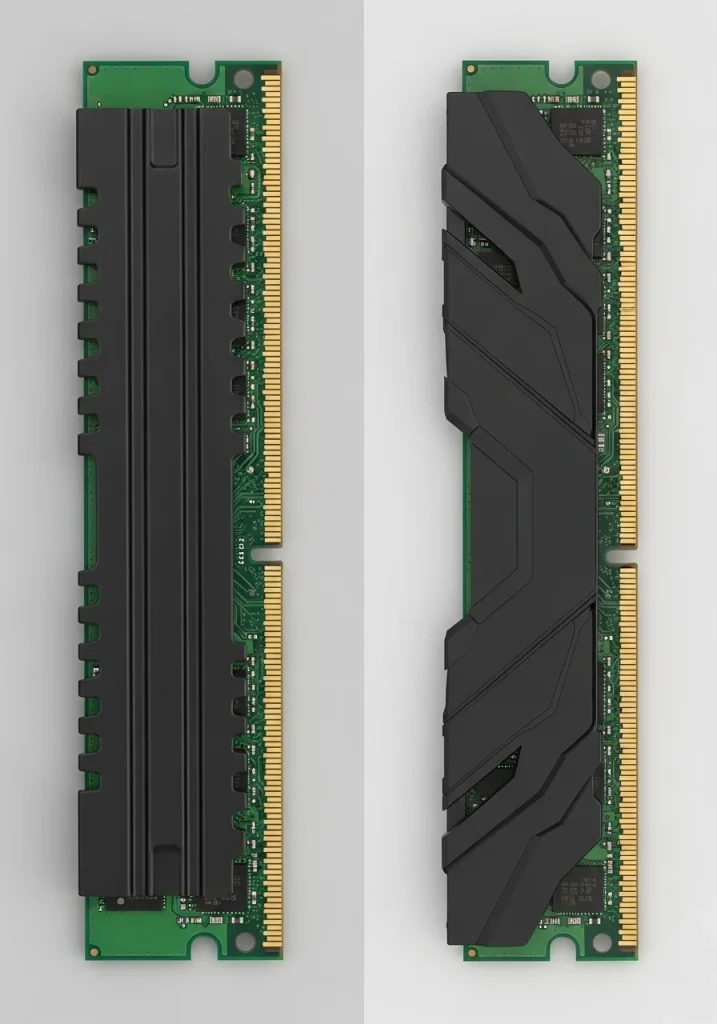
DDR5: The Speed Advantage
DDR5 RAM brings significant architectural changes. It operates at much higher stock frequencies, often starting where high-end DDR4 kits cap out.
This translates to greater bandwidth, allowing your CPU faster access to data.
For games that are CPU-intensive or feature large open worlds, this can be a noticeable boost.
DDR4: The Latency Champion (for now)
While DDR5 has higher frequencies, its timings, particularly CAS Latency (CL), are also higher. This means more clock cycles are needed for data access.
DDR4 kits, especially optimized ones like 3600MHz CL16, often have lower true latency than early DDR5 modules.
This matters for immediate, consistent data access.
However, newer DDR5 kits are rapidly improving, with tighter timings and higher frequencies that are closing the latency gap.
Platform Compatibility and Cost
Remember, DDR5 requires a compatible motherboard and CPU. This means Intel’s 12th gen (and newer) or AMD’s Ryzen 7000 series (and newer).
If you’re upgrading an older system, DDR4 is your only option. For a new build, you’ll need to factor in the cost of a DDR5-compatible motherboard.
The Budget Battle
For many gamers, budget is king. Historically, new RAM generations launch at a premium. DDR5 has followed this trend, but prices are stabilizing.
You’ll often find that a high-performance DDR4 kit offers better value for money.
A 32GB kit of fast DDR4 can be considerably cheaper than a comparable DDR5 kit.
A bar chart comparing average prices for 32GB RAM kits in March 2024: DDR4-3600 CL18 at approximately $75, and DDR5-6000 CL30 at approximately $105.
As of March 2024, a 32GB DDR4-3600 CL18 kit averages around $75. A comparable 32GB DDR5-6000 CL30 kit costs about $105, based on analysis from Tom’s Hardware.
This price difference can free up funds for other critical components, like a better GPU or a high-refresh-rate monitor, which often impact FPS more directly.
Gaming Performance: What You’ll Actually See
For most competitive games, the jump from DDR4 to DDR5 might not be as dramatic as you expect.
Modern GPUs often bottleneck before RAM becomes the primary limitation.
However, in titles sensitive to memory bandwidth, especially at higher resolutions or with minimum FPS targets, DDR5 can offer a noticeable uplift.
Games like Cyberpunk 2077, Assassin’s Creed Valhalla, or Microsoft Flight Simulator tend to benefit more than esports titles like CS:GO or Valorant.
Here’s a quick breakdown to help your decision:
| Feature | DDR4 | DDR5 |
|---|---|---|
| Frequency Range | 2133 – 5000+ MHz | 4800 – 8000+ MHz |
| Bandwidth | Lower | Higher |
| CAS Latency | Generally lower | Generally higher (but improving) |
| Platform Support | Older/Current CPUs | Newer CPUs only |
| Price (32GB kit) | More budget-friendly | Higher, but decreasing |
| Gaming Impact | Excellent value, sufficient for most | Marginal gains in most titles, better in memory-intensive ones |
Make Your Move
If you’re building a new high-end system with the latest CPU, DDR5 offers future-proofing and peak performance.
If you’re on a tighter budget or have a DDR4-compatible system, a fast DDR4 kit is still a powerful contender.
No matter your choice, optimizing your entire setup is key.
After upgrading, test your system’s responsiveness.
Head over to Joltfly and check your keyboard keys latency test.
Ensure your new RAM delivers the low input lag you need to dominate!
In Short
- DDR5 offers higher frequencies and bandwidth for new, high-end systems and memory-intensive games, but is more expensive and requires compatible newer hardware.
- DDR4 provides better value, often lower true latency, and sufficient performance for most games, making it ideal for budget builds or older systems.
- The actual gaming performance difference between DDR4 and DDR5 is often marginal, with the GPU usually being the primary bottleneck.
