

Is a slight delay in your clicks costing you wins? That’s input lag from your mouse debounce time, and we’re going to fix it.
Mastering this single setting gives you faster, cleaner clicks. Get ready to dominate your gaming circle with a real speed advantage.
Key Takeaways
- Debounce time is a firmware delay that prevents accidental double-clicks but can add input lag.
- Lowering debounce time reduces latency for faster clicks but increases the risk of double-click errors.
- Find your ideal setting by testing the lowest value that doesn’t cause errors for your specific mouse and click style.
- Optical mouse switches eliminate the need for debounce delay, offering a significant speed advantage over mechanical ones.
Mouse Debounce Time Explained: Input Lag vs. Double-Click Prevention
What Exactly Is Mouse Debounce Time?
Ever wonder why a single click sometimes registers twice? It’s all about the physical mechanics of the mouse switch.
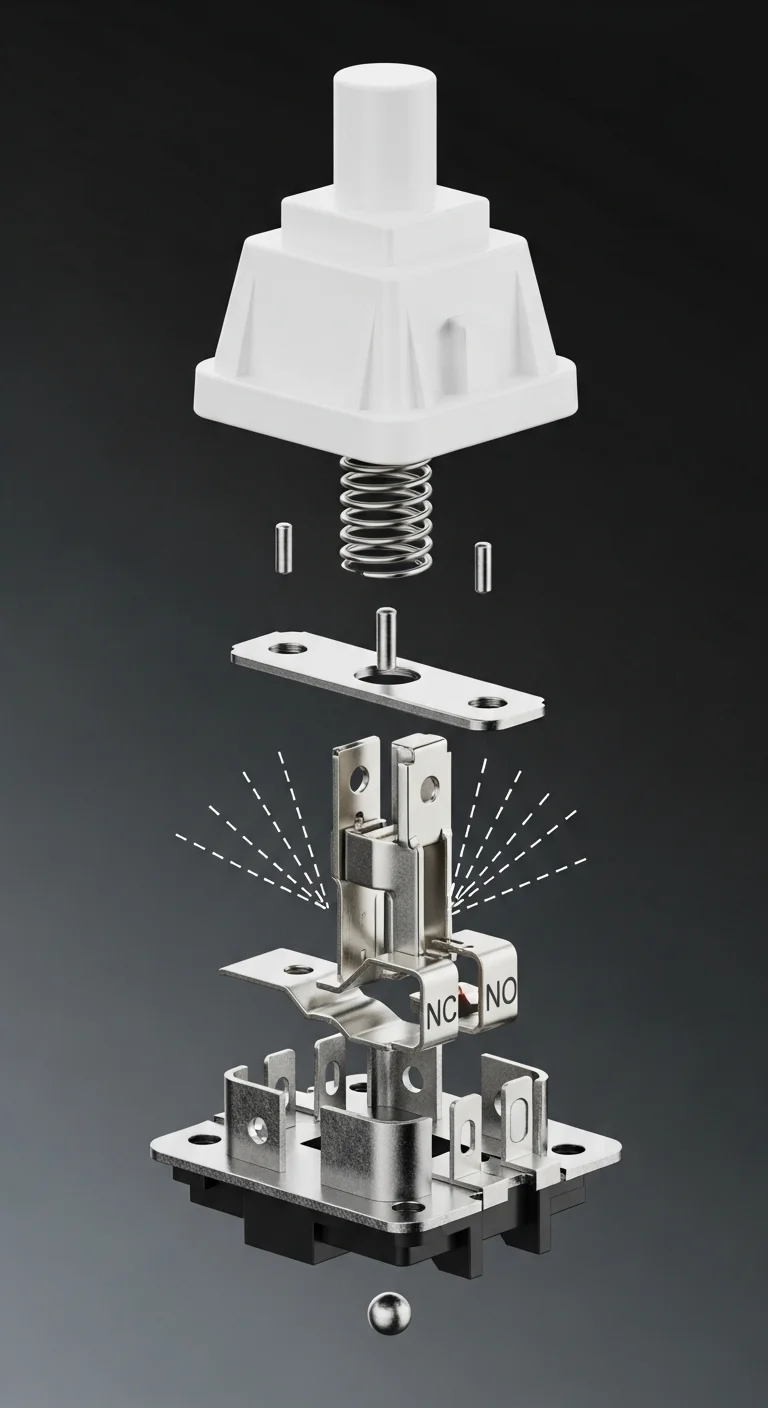
Inside your mouse switch are tiny metal contacts. When you click, they slam together to complete a circuit.
But they can physically bounce, creating multiple signals from one press. This is called switch bouncing or chattering.
Debounce time is a tiny delay added by your mouse’s firmware. It ignores extra signals after the first one.
This ensures one physical press equals one in-game action. It’s a filter for clean, intentional clicks.
The Debounce Dilemma: Speed vs. Accuracy
Here’s the trade-off every competitive gamer faces. Debounce time directly impacts your mouse input lag.
A lower debounce setting means a faster, more responsive click. The signal is sent to your PC almost instantly.
A higher setting adds more delay. While small, this added latency can be the difference between winning and losing.
But setting it too low risks accidental double-clicks, which can ruin your game, especially as switches wear out over time.
Think your mouse is registering extra clicks? You can test it on our Mouse Double Click Test tool.
A bar chart showing the global esports market revenue growth. In 2022, it was $1.38B, growing to $1.72B in 2023, and projected to reach $1.86B in 2024.
Finding Your Perfect Debounce Setting
The ideal setting depends on your game, clicking style, and mouse condition. There is no single “best” number.
Your goal is to find the lowest possible setting that doesn’t cause unintentional double-clicks.
| Feature | Low Debounce (0-4ms) | High Debounce (8-16ms) |
|---|---|---|
| Input Lag | Minimal / Lowest | Slightly Higher |
| Responsiveness | Instant / Fastest | Noticeably Slower |
| Double-Click Risk | Higher | Very Low |
| Best For | High CPS games (Minecraft) | Tactical Shooters, General Use |
Start low and increase the value if you notice errors. This sweet spot gives you a crucial speed advantage.
The Mechanics of Debounce: Metal Contact Bounce and Latency Trade-Off
What is Metal Contact Bounce?
At the heart of every mouse switch lie tiny mechanical contacts.
When you press the button, these components connect to close a circuit.
However, this connection isn’t perfect. They often vibrate and bounce for a few milliseconds.
This rapid, unstable signal is known as contact bounce or switch chatter.
The Debounce Delay Solution
Mouse firmware is engineered to correct this physical imperfection.
It introduces a brief delay, known as debounce time, after the initial signal.
Within this window, it disregards any subsequent signals from the bounce.
This process guarantees that one physical press equals one clean digital click.
Think your mouse is failing? Check it with our Mouse Double Click Test.
The Gamer’s Dilemma: Speed vs. Stability
This creates a trade-off that directly impacts your gaming performance.
A lower debounce time means less added latency and a faster-feeling click.
However, setting it too low risks accidental clicks, especially as switches age.
A higher debounce time adds stability but also increases input lag.
This delay contributes directly to your mouse’s total input latency.
Learning the key differences between response time vs input lag is essential.
Debounce Time Breakdown
- Low Debounce (0-4ms): Offers the quickest response for peak performance. This setting carries a higher risk of double-clicking on older mice.
- Medium Debounce (5-10ms): Provides a great balance of speed and reliability. It’s a safe starting point for most gaming mice.
- High Debounce (11ms+): Ensures maximum click stability. This eliminates double-clicks but introduces noticeable input lag.
Why It Matters for Your Game
In a tense FPS duel, a few milliseconds can decide the winner.
A low debounce setting can give you that critical edge to shoot first.
For high CPS games like Minecraft, you want the lowest stable setting.
But a single unintentional double-click could ruin your strategy.
Experiment in your mouse software to find the perfect balance for your playstyle.
In Short
- Mouse debounce time is a firmware delay that filters out extra signals from a single physical click to prevent unintentional double-clicks.
- There is a trade-off between speed and accuracy: lower debounce times reduce input lag but increase double-click risk, while higher settings do the opposite.
- The ideal setting is the lowest possible value that doesn’t cause errors, balancing responsiveness with reliability for competitive gaming.
Optical vs. Mechanical Switches: Why Your Mouse Type Makes Debounce Obsolete (or Essential)
Mechanical Switches: The Classic Input Lag Problem
Most traditional gaming mice use mechanical switches to register clicks.
These rely on two metal contacts touching to complete an electrical circuit.
The issue is “contact bounce.” The metal parts physically vibrate for milliseconds.
This chatter sends multiple false signals when you only meant to click once.
To prevent this, firmware adds a debounce delay, a tiny pause to ignore chatter.
This delay is a direct source of input lag built into your mouse by design.
Understanding the details of response time vs input lag is crucial for gamers.
Optical Switches: Actuation at the Speed of Light
Optical switches are the clear winner for eliminating debounce lag.
Instead of metal contacts, they use a beam of infrared light.
When you click, a stem breaks this beam, triggering the input instantly.
Since there’s no physical contact, there is zero bounce or chatter.
This means optical switches do not require any debounce delay.
Your actions register cleanly, giving you a massive speed advantage.
Switch Showdown: Mechanical vs. Optical
The difference in performance is critical for competitive play.
| Feature | Mechanical Switch | Optical Switch |
|---|---|---|
| Activation Method | Physical Metal Contact | Light Beam Interruption |
| Debounce Delay | Required (adds lag) | Not Required (zero lag) |
| Speed | Slower due to debounce | Near-instantaneous |
| Durability | Prone to wear and tear | Longer lifespan, less wear |
| Double-Click Risk | High risk as switch ages | Virtually eliminated |
Which Switch Wins for Competitive Gaming?
For pure performance, optical switches are the undisputed champions.
They eliminate debounce time, a frustrating source of input lag.
This gives you a faster, more reliable click for clutch moments.
While some gamers prefer a specific mechanical feel, the data is clear.
To gain a real edge, you need to know the pros and cons of optical mice.
Upgrading to an optical mouse is a direct investment in your reaction speed.
In Short
- Mechanical mouse switches add input lag because they require a debounce delay to prevent false clicks from physical contact bounce.
- Optical mouse switches use a light beam to register clicks, which eliminates contact bounce and the need for a debounce delay, resulting in faster actuation.
- For competitive gaming, optical switches offer a clear performance advantage by providing faster and more reliable clicks.
Your Personalized Debounce Sweet Spot: An Interactive Stress Test Methodology
Calibrating Your Gear: The Test Environment
Finding your perfect debounce time isn’t guesswork; it’s a science. You need a controlled environment for reliable data.
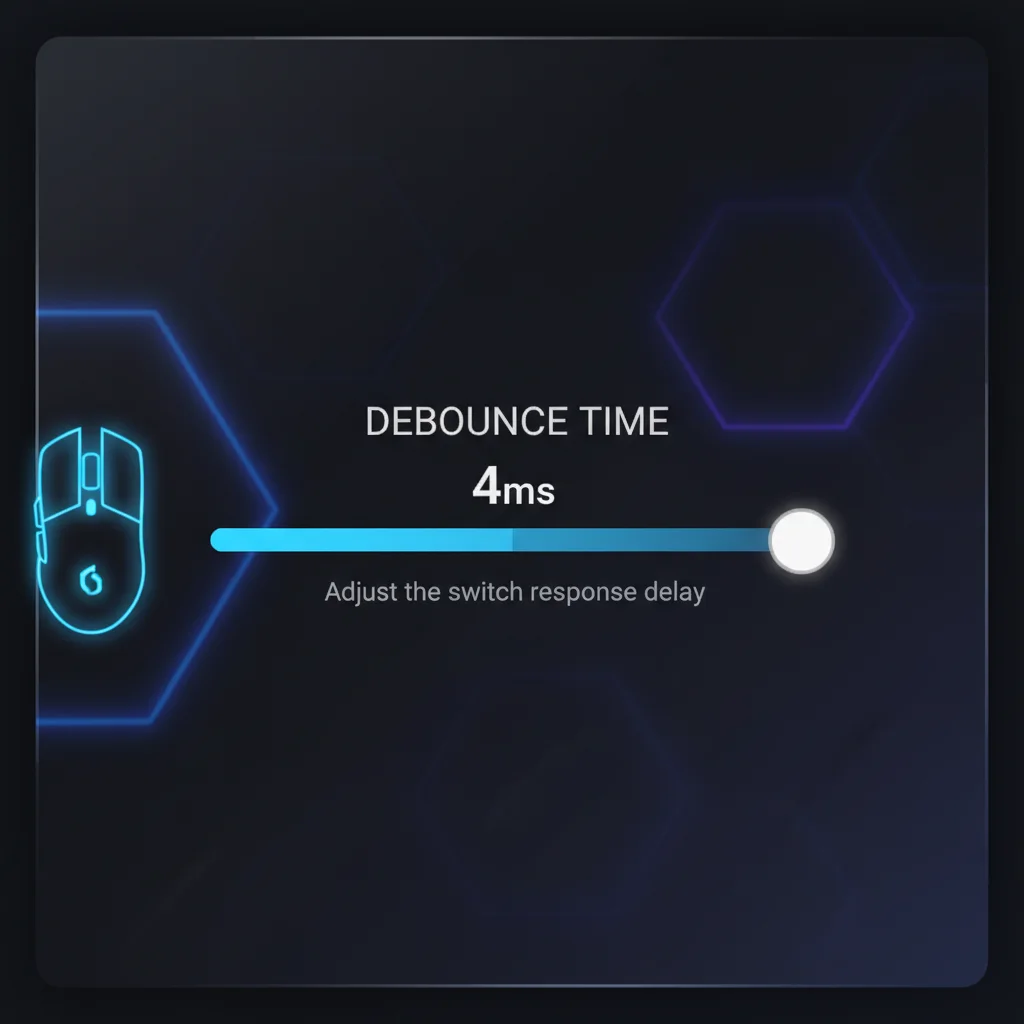
First, open your mouse’s software and find the debounce time setting. This is your command center.
Next, open a text editor like Notepad. This is your testing ground to catch unwanted double-clicks instantly.
The Incremental Stress Test Method
This process will reveal your mouse’s true limits. Follow it precisely to find the lowest stable debounce time.
- Set your mouse debounce time to its absolute lowest setting (usually 0ms or 1ms).
- Switch to your text editor. Perform a series of rapid clicks using your preferred clicking style for 10-15 seconds.
- Analyze the results. Did you see any double-registered clicks? If so, you’ve found an unstable setting.
- If you see double-clicks, increase the debounce time by 1ms in your software and repeat the test.
- Continue this process until the double-clicks completely disappear. This point is your “instability threshold.”
- Once you find a stable setting, add 1ms or 2ms as a safety buffer. This is your personalized “sweet spot.”
This buffer ensures stability during intense gameplay, preventing match-losing accidental inputs.
From Testing to In-Game Dominance
Your “sweet spot” minimizes debounce time input lag. It provides the fastest, most responsive clicks possible.
A lower time means your actions register faster. This is crucial in FPS games where milliseconds decide the winner.
It’s the difference between a sluggish trigger and a hair trigger. One feels delayed; the other feels instant.
Understanding latency components helps. Your mouse is one piece of the puzzle, explained in our guide to response time vs input lag.
A bar chart illustrating the components of system latency, showing PC Latency as the largest contributor, followed by Display Latency, and then Peripheral Latency.
Tailoring Debounce to Your Click Style
Your clicking technique heavily influences your ideal debounce setting. High CPS methods demand more from your mouse switches.
A standard clicker can use a lower debounce time than someone with an aggressive clicking style.
The table below gives you a solid starting point based on your method. Use it to guide your own stress test.
| Clicking Style | Typical Instability Threshold | Recommended Sweet Spot |
|---|---|---|
| Standard Clicking | 0-2ms | 2-3ms |
| Jitter Clicking | 2-4ms | 4-6ms |
| Butterfly/Drag Clicking | 6-10ms | 8-12ms |
Put Your New Settings to the Test
You’ve found your sweet spot. Now it’s time to feel the difference. Fire up your favorite game and experience the raw speed.
Want to confirm your stability under pressure? Head over to the Joltfly Jitter Click Test now.
Push your new settings to the limit. Then, challenge friends to see who has the most dialed-in gear.
Optimizing Debounce Settings for Your Mouse Software & Game Style
Find Your Mouse’s Debounce Settings
Ready to take control? Most gaming mice pack powerful software.
Open your mouse’s application, like Razer Synapse or Logitech G Hub.
Hunt for a setting called “Debounce Time” or “Button Response Time.”
This slider is your key to reducing click latency. Let’s tune it.
Tailor Debounce for Your Game Genre
The perfect setting depends on what you play. One size does not fit all.
Your game style dictates the optimal debounce time for victory.
For High CPS Games (Minecraft PvP)
In games where clicks per second (CPS) reign supreme, go low.
A 0-2ms debounce time is essential for jitter or butterfly clicking.
This ensures every single one of your rapid inputs is registered.
Practice your technique with our Butterfly Click Test to see the difference.
For Tactical FPS (Valorant, CS:GO)
Precision beats speed in tactical shooters. Avoid misclicks at all costs.
A slightly higher debounce (4-8ms) prevents accidental double-clicks.
This stops you from firing a second shot when you only want to tap-fire.
Hold your angles with confidence and make every bullet count.
A bar chart showing the most popular PC game genres in the U.S. in 2023: Shooter (63%), Action (43%), RPG (39%), Adventure (38%), and Strategy (37%).
Finding and Testing Your Sweet Spot
There’s no single magic number. Your ideal setting is personal.
Begin with the lowest debounce time your mouse software allows.
Then, test methodically for errors, primarily accidental double-clicks.
Use our Double Click Test to check for any unwanted inputs.
If double-clicks occur, increase the time by 1-2ms and test again.
Find the lowest value that provides clean, reliable clicks for a real edge.
| Game Genre | Recommended Debounce Time | Primary Goal |
|---|---|---|
| Minecraft PvP / High CPS | 0-2ms | Maximize registered clicks for techniques like butterfly clicking. |
| Tactical FPS | 4-8ms | Prevent accidental double-clicks for precise tap-firing. |
| MOBA / General Gaming | 2-4ms | A balanced setting for responsiveness without high misclick risk. |
In Short
- Find your optimal mouse debounce time by incrementally increasing the setting from its lowest value until double-clicks no longer occur during a rapid clicking test.
- The ideal debounce setting is personalized and depends on your clicking style, with aggressive methods like jitter or butterfly clicking requiring higher settings.
- A lower, stable debounce time reduces input lag, providing a faster and more responsive click that is crucial for competitive gaming.
Game On: Your Final Click
You now have the intel on debounce time. It’s the hidden stat that can mean victory or defeat. Knowledge is power.
Stop guessing and start testing. Find your mouse’s lowest stable setting to slash input lag and gain a competitive edge.
Now get in the game and dominate. Sharpen your reflexes, trust your gear, and make every click count. Your victory awaits.
Frequently Asked Questions
What’s the best debounce time for gaming?
There’s no single ‘best’ time. Aim for the lowest stable setting on your mouse, usually between 0-4ms, without getting double-clicks.
Does high debounce time really add lag?
Yes. Every millisecond of debounce is a millisecond of input lag. In a fast-paced game, this delay can be the difference between a win and a loss.
How do I test for the right setting?
Lower the debounce time in your mouse software. Then, use an online click test and play games to check for accidental double-clicks.
Will setting debounce time to 0ms break my mouse?
It won’t break it, but it might cause double-clicks if the switch is worn. If that happens, increase it by 1-2ms and test again.
