

Is your gaming audio holding you back? Understanding headphone impedance is the secret to unlocking crystal-clear sound and hearing every footstep.
Stop guessing if you need an amp. This guide breaks down the tech so you can optimize your rig, boost your volume, and dominate your gaming circle.
Key Takeaways
- Headphone sensitivity often dictates volume efficiency more than impedance alone.
- Consoles like PS5 and Xbox typically struggle to drive high-impedance headsets.
- Headphones over 80 Ohms usually require a dedicated amplifier for optimal performance.
- External DACs provide a cleaner, more powerful signal than standard onboard PC audio.
- Matching your source to your headset ensures you hear crucial competitive cues.
Impedance vs. Sensitivity: Why Sensitivity Matters More for Volume
You want every advantage in your gaming circle. Understanding your audio gear is key.
While impedance is important, headphone sensitivity often dictates how loud your headset gets with a given power source.
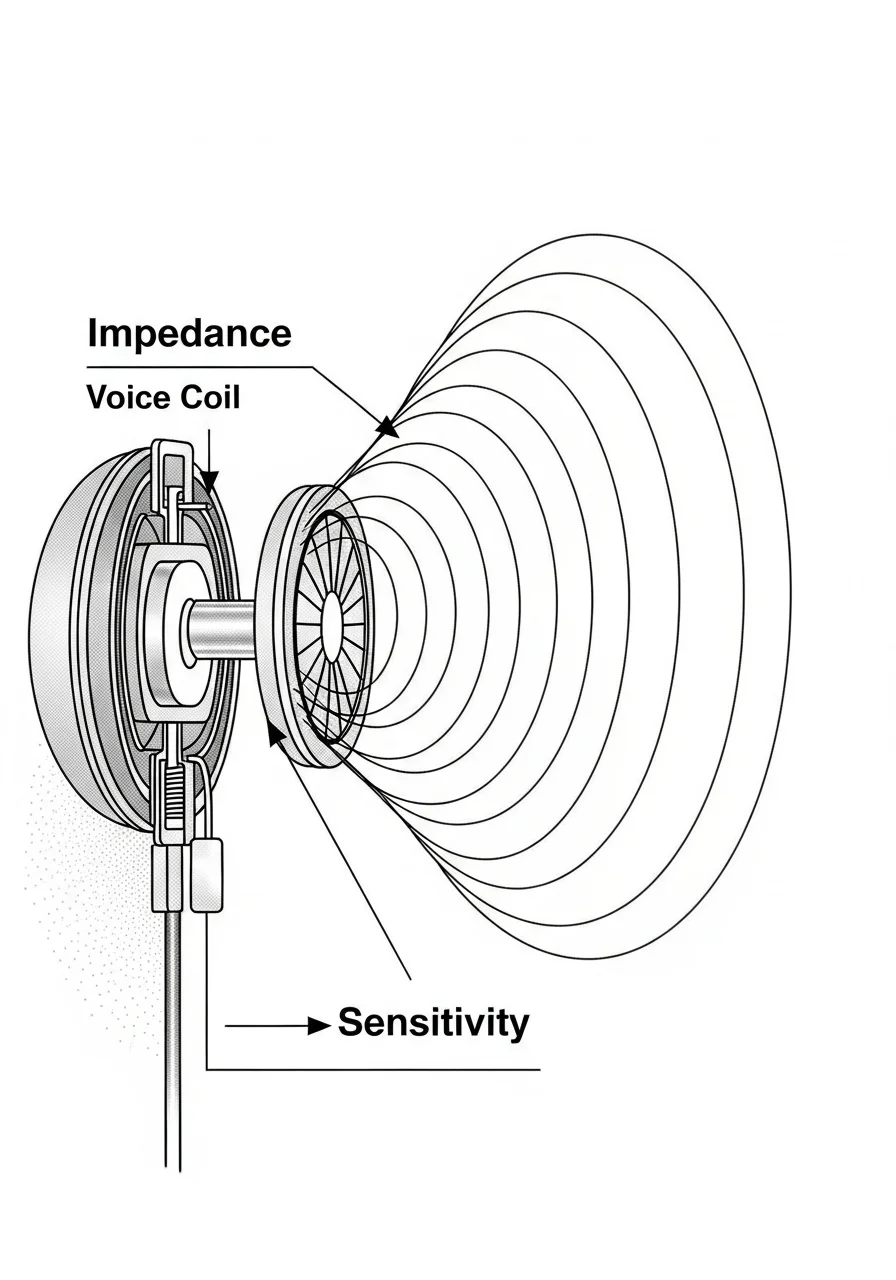
Don’t confuse the two. Sensitivity tells you how efficient your headphones are at converting electrical power into sound pressure levels (SPL).
What is Headphone Sensitivity?
Sensitivity measures how many decibels (dB) of sound a headphone produces for every milliwatt (mW) of power it receives.
Sometimes it’s listed as dB/V for voltage. Higher sensitivity means your headphones will be louder at a lower power input.
This is critical for gaming on devices with limited power output. Think of it as your headset’s turbocharger. More sensitivity equals more boom with less juice.
Impedance’s Role: The Electrical Resistance
Impedance, measured in ohms (Ω), is your headphone’s electrical resistance. It affects how much current your amplifier or device can deliver.
High impedance headphones generally require more voltage to achieve the same volume as low impedance ones. This is where an amp might enter the scene.
Why Sensitivity Matters More for Raw Volume
For sheer volume from a typical gaming setup, sensitivity is often the dominant factor.
A highly sensitive headphone at 32 ohms will likely be louder than a less sensitive one at the same 32 ohms.
Your phone, console controller, or PC’s onboard audio might struggle with low sensitivity headphones, regardless of impedance.
A high sensitivity rating means you can drive your headphones to competitive volumes without a dedicated amplifier.
Boosting Your Gaming Audio Edge
Competitive gamers consistently prioritize clear, impactful audio. It’s not just about volume, but hearing crucial in-game sounds with precision.
According to a 2021 report by HP’s Omen Gaming Hub, 79% of competitive gamers consider high-quality audio crucial for in-game performance.
This shows how vital your headphone choice is.
A pie chart showing that 79% of competitive gamers consider high-quality audio crucial for in-game performance, while 21% consider it less crucial.
When selecting your next audio weapon, check both impedance and sensitivity. Often, a headset with good sensitivity will shine.
When an Amp Becomes Your Ally
You’ll likely need a headphone amp if your headphones have low sensitivity, typically below 95 dB/mW.
This is especially true if they also have high impedance, usually over 80-100 ohms.
An amp provides the necessary power to drive these demanding headphones. This unlocks their full potential for clarity, dynamics, and ample volume.
It’s about achieving optimal sound, not just maximum loudness. A quality amp helps you hear footsteps and crucial callouts with precision.
Common Headphone Sensitivity Ranges
| Sensitivity (dB/mW) | Performance Level | Amp Requirement |
|---|---|---|
| < 90 | Low | Highly Recommended |
| 90-95 | Moderate | Often Recommended |
| 96-100 | Good | Optional, depends on source |
| > 100 | High | Generally Not Needed |
For serious competitors, upgrading to IEMs vs. Headsets: The Ultimate Competitive Audio Guide can make a difference. Always consider your audio ecosystem.
Ready to dial in your setup? Keep these factors in mind to dominate the soundscape and climb the ranks on Joltfly.
In Short
- Headphone sensitivity, not just impedance, is crucial for determining how loud your headset gets, especially with devices having limited power output.
- Higher sensitivity means headphones produce more volume with less power, making them ideal for gaming without a dedicated amplifier.
- An amplifier is often necessary for headphones with low sensitivity (below 95 dB/mW) or high impedance (over 80-100 ohms) to achieve optimal sound and sufficient volume.
The Source-Matching Matrix: Do I Need an Amp for PS5, Xbox, or PC?
Ready to unlock your headset’s full potential on any platform? Matching your gaming headphones to your source is a critical step for elite audio performance.
Whether you’re on PS5, Xbox, or PC, understanding impedance ensures you get crisp, powerful sound.
Don’t let weak audio hold back your competitive edge. Let’s break down when an amplifier is your next essential upgrade.
PS5 & Xbox: Console Audio Decoded
Gaming consoles offer incredible visuals, but their audio outputs can be limiting. Both PS5 and Xbox controllers provide power through 3.5mm jacks.
However, this power is finite. Most console controllers are optimized for headphones with lower impedance.
This typically means headsets around 32 to 64 Ohms. Higher impedance headphones might sound quiet or lack dynamic range.
You’ll miss crucial audio cues, putting you at a disadvantage in fast-paced titles.
PC: The Ultimate Audio Battlefield
PC gaming offers more flexibility. Onboard audio solutions on motherboards have improved significantly.
Many modern motherboards can adequately drive headphones up to 150 Ohms. Some high-end boards even push towards 300 Ohms.
However, “adequately” doesn’t always mean “optimally.” Factors like latency and noise can still impact your experience.
For audiophiles and competitive gamers, a dedicated external DAC or amplifier often provides a cleaner, more powerful signal.
This is especially true for premium, high-impedance gaming headsets.
Do I Need an Amp for My Gaming Setup?
The short answer depends on your headphones and your platform.
An amplifier’s primary role is to provide sufficient power to your headphones. This ensures they operate at their intended volume and sound quality.
Without enough power, sound can be weak, distorted, or lack definition.
Here’s when an amp becomes a game-changer:
- High Impedance Headphones: If your headphones are 80 Ohms or higher, especially 250 Ohms or more, a dedicated amp is almost always necessary.
- Low Volume Output: If your headphones sound too quiet even at max volume on your console or PC.
- Lack of Clarity: If audio sounds muddy, flat, or lacks punch and detail.
- Competitive Advantage: For pinpointing enemy footsteps and environmental sounds. Enhancing your EQ settings becomes more effective with a clean, powerful signal.
When You Can Skip the Amp
If your gaming headset has a low impedance, typically under 50 Ohms, you likely don’t need a separate amplifier.
Most gaming headsets are designed with console controllers and standard PC onboard audio in mind. They aim for plug-and-play convenience.
These headphones are efficient and don’t require much power to reach optimal performance.
The Source-Matching Matrix: Platform vs. Impedance
Here’s a quick guide to help you decide if an amp is right for your setup. This matrix outlines typical impedance recommendations for various gaming platforms.
It will help you get the most out of your audio gear.
| Platform | Recommended Headphone Impedance Range | Amp Typically Needed? | Reasoning |
|---|---|---|---|
| PS5 Controller (3.5mm) | 16-64 Ohms | No, for most gaming headsets. Yes, for high-impedance audiophile headphones. | Limited power output, optimized for efficiency. |
| Xbox Controller (3.5mm) | 16-64 Ohms | No, for most gaming headsets. Yes, for high-impedance audiophile headphones. | Similar power limits to PS5 controllers. |
| Standard PC Onboard Audio | 16-150 Ohms | Only for headphones >150 Ohms, or if seeking improved clarity/power. | Variable quality, but often decent for mid-range impedance. |
| High-End PC Onboard Audio | 16-300 Ohms | Only for headphones >300 Ohms, or for ultimate fidelity. | Can drive higher impedance but dedicated amps still offer superior signal. |
| Dedicated DAC/Amp | Any impedance | No, this is the amp. | Provides optimal power and clean signal for any headphone. |
Optimizing your audio setup can dramatically improve your performance. You’ll hear footsteps, reloads, and crucial game cues with superior clarity.
This translates directly to better situational awareness and faster reaction times. Don’t underestimate the power of sound in competitive play.
Boost your game by dialing in your best EQ settings for footsteps, but make sure your hardware can deliver that sound without compromise.
Head over to Joltfly now to test your reaction time and aim, ensuring your skills are as sharp as your audio.
Challenge your friends to see who truly dominates!
Popular Headphone & Source Combinations Lookup Table
Are you ready to truly optimize your audio? Matching your gaming headphones to the right source is critical.
It ensures you get the crisp, clear sound that gives you a competitive edge. Poor matching means wasted potential.
This lookup table cuts through the noise. It helps you understand if your current setup is holding you back.
We’re talking about unlocking every audio detail for domination.
Understanding the Impedance Match
Headphone impedance, measured in ohms, tells you how much electrical resistance your headphones have.
A higher number means they need more power to reach optimal volume and sound quality.
Your source, like your PC’s onboard audio or console controller, has an output impedance.
If your headphones demand more power than your source provides, you lose out.
This translates directly into weaker bass, muddied highs, and a lack of dynamic range. Don’t let your gear limit your potential.
| Headphone Model (Example) | Impedance (Ohms) | Typical Gaming Source | Amp/DAC Recommended? | Why This Matters |
|---|---|---|---|---|
| SteelSeries Arctis Pro | 32 | PC, Console Controller | No (often built-in DAC/Amp) | Low impedance, easily driven by most modern gaming sources. |
| HyperX Cloud II | 60 | PC, Console Controller | Rarely | Efficient design means most standard audio outputs can handle them well. |
| Sennheiser HD 599 | 50 | PC, Console Controller | Optional (for premium sound) | While efficient, a dedicated DAC/Amp enhances clarity and soundstage. |
| Beyerdynamic DT 770 Pro (80 Ohm) | 80 | PC (good motherboard), Portable DAC/Amp | Yes (for optimal power/volume) | Higher impedance benefits significantly from a dedicated amp for fullness. |
| Beyerdynamic DT 990 Pro (250 Ohm) | 250 | Dedicated Gaming DAC/Amp | Absolutely Essential | Very high impedance, requires substantial power to sound its best. |
| Sennheiser HD 600 | 300 | Dedicated Gaming DAC/Amp | Absolutely Essential | A reference-grade headphone that demands a powerful amplifier for full performance. |
Unleash Your Audio Potential
As you can see, matching is key. Low impedance headphones (<50 ohms) are usually fine with onboard audio.
Mid-range (50-150 ohms) can benefit greatly from a dedicated amp.
High impedance headphones (150+ ohms) absolutely require a powerful external amplifier.
Without one, you’re hearing a fraction of their true capability.
Want to hear every enemy footstep and gain a tactical advantage? Check out our guide on best EQ settings for footsteps.
Don’t leave performance on the table. Upgrade your audio setup and experience true immersion.
After optimizing your audio, push your skills to the limit. Visit Joltfly’s Device Tests section.
Test your reaction time, mouse precision, and keyboard latency. Measure your improvements and dominate your gaming circle!
In Short
- Gaming consoles (PS5, Xbox) provide limited audio power, requiring an amplifier for high-impedance headphones (80+ Ohms) to achieve optimal sound.
- PC onboard audio is generally more capable than consoles, but a dedicated amplifier or DAC enhances sound quality and power, especially for high-impedance or premium gaming headsets.
- An amplifier is crucial for headphones with 80+ Ohms impedance, for resolving issues like low volume or lack of clarity, or to gain a competitive audio edge, but is unnecessary for low-impedance (under 50 Ohms) headsets.
Onboard Audio vs. External DAC/Amps: Is Realtek ALC1220 Enough?
Your gaming rig is a powerhouse, but what about its audio engine?
Many competitive gamers wonder if their motherboard’s integrated sound truly delivers the edge.
Is the popular Realtek ALC1220 enough? Or do you need a dedicated external DAC/Amp combo to truly dominate your gaming circle?
Onboard Audio: The Baseline for Gaming
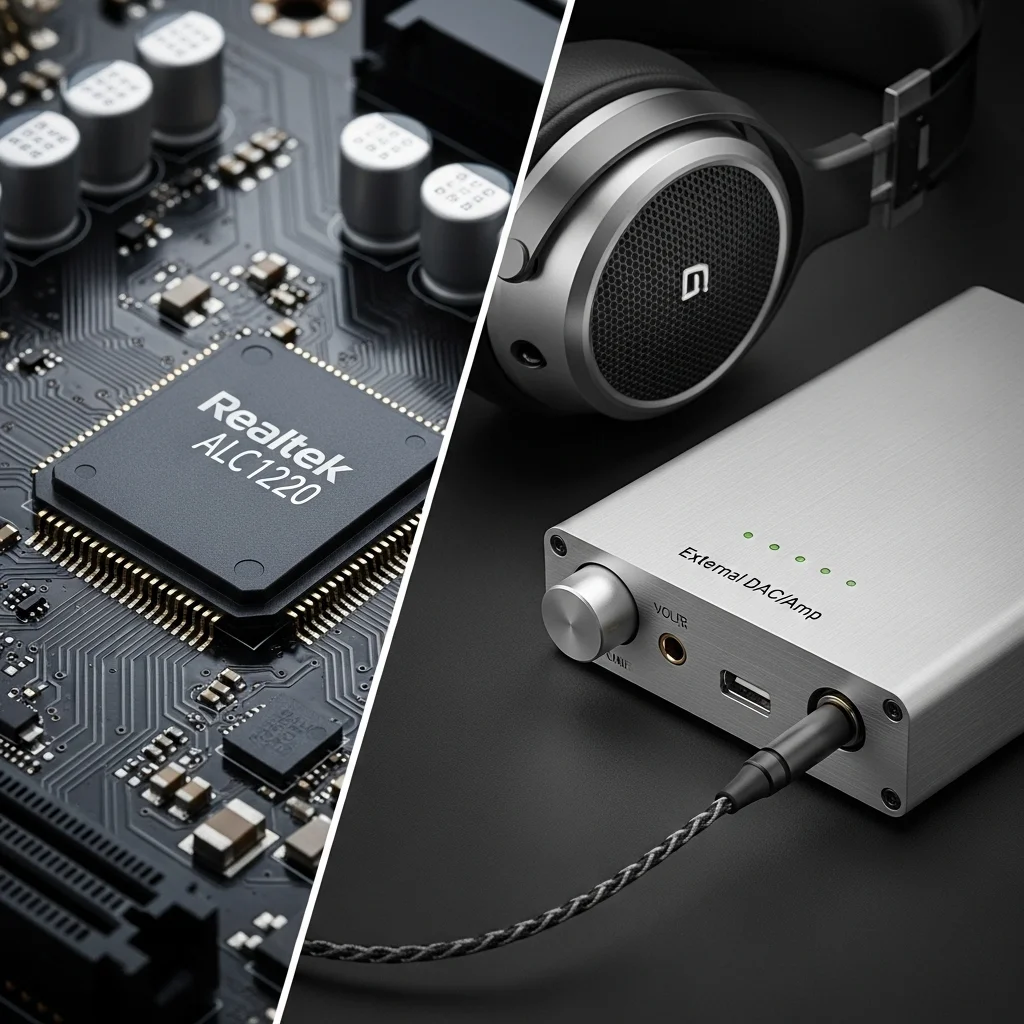
Modern onboard audio solutions, such as the Realtek ALC1220, have come a long way. They offer decent sound quality for casual gaming and general use.
You get clear audio, and for many, it’s perfectly acceptable. However, onboard audio operates within a noisy PC environment.
Components like your GPU and CPU can introduce electromagnetic interference.
This can manifest as a subtle hiss or static, especially during quiet game moments.
Furthermore, onboard solutions often lack the power to properly drive high-impedance gaming headphones, limiting their full potential.
External DAC/Amps: Unlocking Audio Potential
An external Digital-to-Analog Converter (DAC) and amplifier (Amp) move audio processing outside your PC case.
This isolation dramatically reduces electrical interference, delivering a cleaner, more pristine sound signal.
A dedicated DAC converts digital audio data into an analog signal with superior precision. The amplifier then boosts this signal.
This provides ample power, especially for high-impedance headphones (over 80 ohms), ensuring they perform optimally.
The result? Sharper positional audio cues, richer soundscapes, and an overall immersive experience that can give you a competitive advantage.
Is Realtek ALC1220 “Enough” for Competitive Gaming?
The Realtek ALC1220 is a good integrated chip, often featuring a 120dB Signal-to-Noise Ratio (SNR).
For many gamers using low-to-medium impedance headphones, it might be “enough” to get by.
But “enough” isn’t “optimal” when you’re striving for peak performance. Competitive play demands every possible edge.
If you’re rocking high-impedance headphones, an external amp is non-negotiable. Without it, you’re leaving performance on the table.
Even with low-impedance headphones, a good DAC can provide a cleaner signal and better dynamic range.
A bar chart comparing typical Signal-to-Noise Ratio (SNR) values: Realtek ALC1220 (Onboard) at 120dB, Mid-Range External DAC/Amp at 125dB, and High-End External DAC/Amp at 130dB.
When to Upgrade to an External DAC/Amp
Consider an external solution if you:
- Own high-impedance gaming headphones (80 ohms or more).
- Experience audible static, hiss, or buzzing from your onboard audio.
- Are a competitive gamer seeking maximum audio clarity and positional accuracy.
- Want to fully experience the nuances of your game’s sound design.
- Aim for the lowest possible audio latency and highest fidelity to improve your response time and overall input lag.
Even subtle improvements in sound quality can translate into faster reaction times and better situational awareness.
Don’t let subpar audio hold you back from your next big win.
Ready to put your gear to the test? Explore Joltfly’s Device Tests to measure your setup’s true potential.
In Short
- Modern onboard audio, like Realtek ALC1220, provides decent sound but can be affected by PC interference and may lack power for high-impedance headphones.
- External DAC/Amps offer superior, cleaner audio by isolating processing, which is crucial for properly driving high-impedance headphones and competitive gaming.
- Upgrading to an external DAC/Amp is recommended for competitive gamers, those with high-impedance headphones, or if experiencing onboard audio interference.
Troubleshooting Low Volume on High-Ohm Headsets (DT 990 Pro & More)
Hearing every footstep and pinpointing enemy locations is critical for dominating in competitive games.
But if you are running high-impedance headsets like the DT 990 Pro, you might experience low volume. This isn’t a defect; it’s a power issue.
Your headset isn’t getting enough juice from your PC or console’s onboard audio. We will guide you through optimizing your high-ohm setup.
Understanding Impedance and Power Requirements
Headphone impedance, measured in ohms (Ω), indicates the electrical resistance. Higher impedance requires more voltage to achieve the same volume.
Most gaming motherboards and controllers are designed for low-impedance headphones, typically 32 Ω or less.
Plugging a 250 Ω or 600 Ω headset into these sources will result in weak, quiet audio.
A bar chart showing amplifier necessity based on headphone impedance: Low Impedance (<32 Ω) has a low need (1), Mid Impedance (32-100 Ω) has a moderate need (2), and High Impedance (>100 Ω) has a high need (3).
RTINGS.com suggests that headphones with 32 Ohms or less generally don’t need an external amplifier.
For headphones between 32 Ohms and 100 Ohms, an amplifier is likely needed for optimal loudness.
The Essential Fix: Headphone Amplifiers & DACs
The primary solution for low volume on high-impedance headsets is a dedicated headphone amplifier.
Alternatively, you can use a Digital-to-Analog Converter (DAC) with a built-in amp.
An amplifier boosts the audio signal, providing your high-ohm headphones with the power they need.
A DAC converts digital audio into an analog signal, often offering a cleaner output than your PC’s onboard sound card.
Many audiophile-grade setups combine both a DAC and an amplifier for superior sound quality and power delivery.
Choosing the Right Audio Gear
- Match Impedance: Ensure your amplifier can comfortably drive your headset’s impedance. Check the amp’s output power ratings.
- Power Output: Look for an amp that delivers sufficient wattage to your specific headset. This is often listed in milliwatts (mW).
- Gain Settings: Higher-end amps feature gain switches. Use these to adjust the output level to match your headset’s sensitivity.
- Connectivity: Confirm the amp/DAC has the correct inputs and outputs for your gaming setup.
Beyond the Amp: General Troubleshooting Tips
Even with an amp, sometimes other issues can mute your audio. Run through these quick checks:
- System Volume Levels: Double-check all volume sliders in Windows (or your console), game settings, and any application-specific audio controls.
- Audio Driver Updates: Outdated or corrupted audio drivers can cause problems. Visit your motherboard or external audio interface manufacturer’s website for the latest drivers.
- Port & Cable Check: Try a different USB port for your DAC or a different audio jack for direct connections. Inspect your headset cable for damage.
- Disable Enhancements: In Windows sound settings, go to your playback device’s properties and disable any “Sound Enhancements” or “Spatial Sound” features. These can sometimes interfere.
- Test on Another Device: Connect your headset (without the amp, if possible) to a phone or another PC. This helps determine if the headset itself is faulty.
Optimize Your Entire Gaming Setup
A powerful headset with clear audio gives you a major advantage. But your entire setup needs to be dialed in for competitive wins.
Don’t stop at audio optimization. Challenge your other skills on Joltfly.
Test your precision and speed with our Mouse Latency Test to ensure your input lag is minimal.
In Short
- High-impedance headsets experience low volume when connected directly to PCs or consoles because onboard audio lacks sufficient power.
- A dedicated headphone amplifier or a DAC with a built-in amp is crucial for properly powering high-ohm headphones and achieving optimal volume.
- General troubleshooting, including checking system volume, updating drivers, and inspecting cables, should also be performed for audio issues.
