

You’ve built a beast of a rig to dominate the competition, but gravity might be your silent enemy. Is that drooping graphics card killing your framerates?
We’re breaking down if GPU sag actually affects performance or risks permanent PCB damage. Let’s secure your hardware and keep your aim true.
Key Takeaways
- Severe GPU sag ruins thermals and causes FPS-killing thermal throttling during intense gaming sessions.
- Long-term drooping warps the PCB and can crack critical VRAM solder joints, leading to permanent failure.
- Visual artifacts, crashes, and stuttering are major red flags that sag has already damaged your hardware.
- Fix it fast with inexpensive support brackets or vertical mounts to protect your investment and maintain your edge.
Does GPU Sag Affect Gaming Performance and Thermals?
The Truth About GPU Sag and Your FPS
You’re pushing your rig to the limit, seeking every possible edge in competitive play. So, does GPU sag actually impact your gaming performance and thermals?
The short answer is: usually not directly. However, it introduces significant risks that can lead to performance degradation over time.
Direct Performance Hits are Rare
A slight GPU sag typically won’t cause an immediate drop in your frames per second or increase your input lag.
The GPU’s connection to the PCIe slot is robust. It’s designed to maintain electrical contact even with minor physical stress.
Only in extreme cases of severe sag would you see direct performance issues. If the PCIe slot distorts, you might face crashes or stuttering.
Indirect Thermal Concerns
While direct performance hits are rare, GPU sag can absolutely impact your thermals. This is where your performance takes a real hit.
Excessive sag can subtly warp the GPU’s PCB. This warping creates gaps between the GPU die and the cold plate, particularly with air coolers.
If that contact is poor, thermal paste won’t transfer heat efficiently. This leads to higher GPU temperatures.
When your GPU gets too hot, it initiates thermal throttling.
This is a protective mechanism that reduces clock speeds to prevent damage, but it crushes your FPS.
According to experts like TechRadar, severe thermal throttling kills FPS. You could experience performance drops of up to 20% in demanding games.
A bar chart showing potential performance loss: Optimal Performance (100%) vs. With Severe Throttling (80%).
Long-Term Risks to Your Rig
Beyond immediate thermals, prolonged GPU sag poses long-term risks to your system’s stability and lifespan.
Consistent stress on the PCIe slot and PCB leads to component fatigue. This can cause micro-fractures on the board or damage solder joints.
These issues can cause intermittent crashes or complete hardware failure. It is vital to maintain stable temperatures across all components.
For example, maintaining safe motherboard VRM temps is crucial for overall system health.
Keep Your GPU Level, Keep Your Edge
Don’t let GPU sag become a silent killer of your performance or hardware. Take proactive steps to keep your rig in top shape and dominate your gaming sessions.
Simple Solutions for GPU Sag
Fortunately, preventing GPU sag is straightforward and inexpensive.
- GPU Support Bracket: These are affordable and effective. They attach to your case or motherboard and bear the weight of the card.
- Vertical GPU Mount: If your case supports it, a vertical mount completely eliminates sag by orienting the GPU differently.
- DIY Solutions: A LEGO tower or a custom brace can also do the trick in a pinch. Just ensure it’s stable and non-conductive.
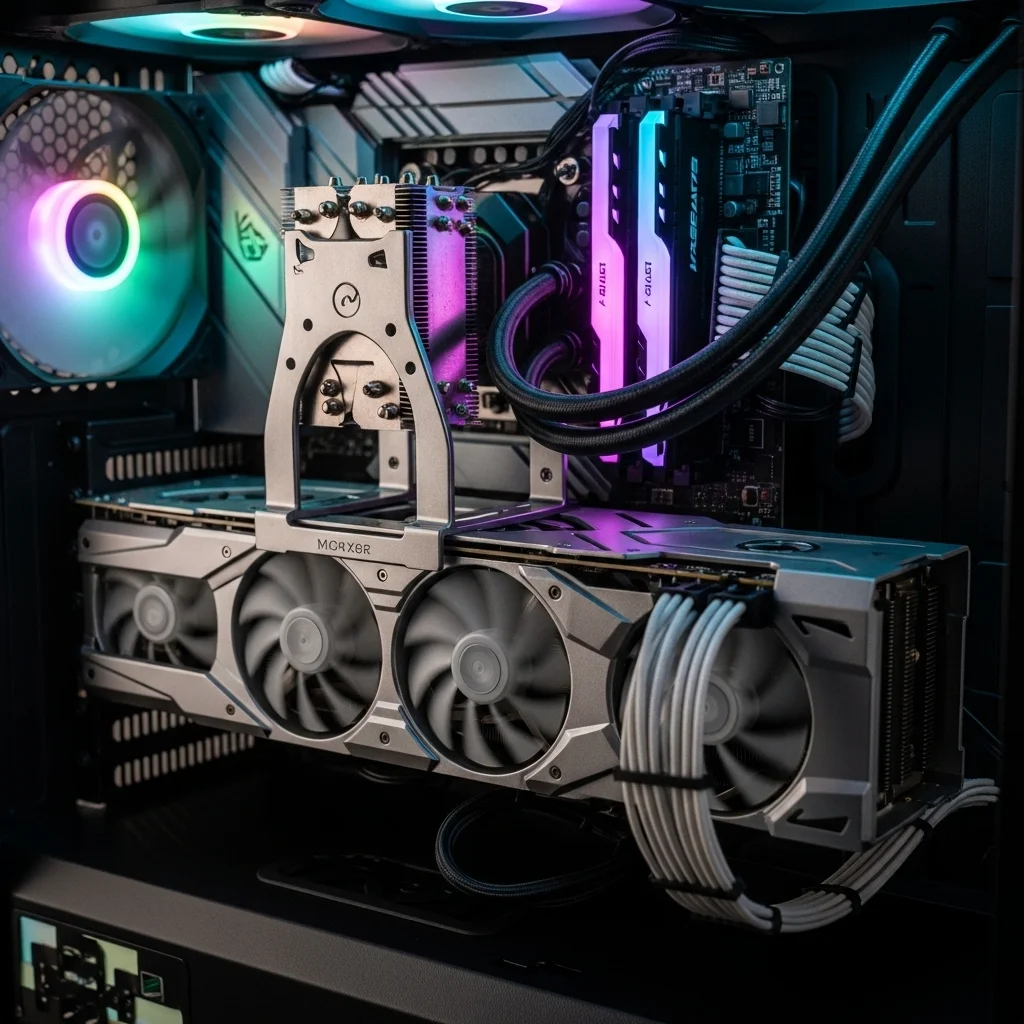
Keeping your GPU level ensures peak thermal performance. Maintain that edge by regularly checking your hardware and optimizing your setup.
For more ways to boost your performance and precision, head over to Joltfly and try our Aim Trainer or explore other device tests!
In Short
- While GPU sag rarely causes direct FPS drops, it significantly impacts thermals, leading to throttling and reduced gaming performance.
- Long-term GPU sag can cause component fatigue, micro-fractures, and potential hardware failure due to consistent stress on components.
- Preventing GPU sag with support brackets, vertical mounts, or DIY solutions is simple and crucial for maintaining peak thermal performance and hardware longevity.
The Real Danger: PCB Warping and VRAM Solder Joint Cracking
Understanding PCB Warping and Its Threat
You’ve invested in a powerhouse GPU for peak gaming performance, but what if its sheer weight is silently sabotaging your setup?
GPU sag is more than an aesthetic issue. Gravity pulls down on the card, placing continuous stress on the delicate Printed Circuit Board (PCB).
Over time, this constant strain can lead to significant PCB warping. Your GPU isn’t just looking a little droopy, it’s undergoing structural compromise.
The Silent Killer: VRAM Solder Joint Cracking
A warped PCB creates immense pressure on the hundreds of tiny solder joints connecting vital components, especially the VRAM chips.
Combine mechanical stress with repeated thermal cycles. Your GPU heats up and cools down, causing materials to expand and contract.
This dynamic stress is a recipe for disaster. It can cause microscopic cracks to form in the VRAM solder joints.
These micro-fractures lead to signal loss and data corruption. You might see graphical artifacts, texture errors, or crash mid-match.
Eventually, cracks worsen and lead to complete VRAM failure. This is irreversible hardware damage that sidelines your gaming.
Performance Hits and System Instability
The consequences of PCB warping and VRAM solder joint cracking are severe. Your gaming performance takes a brutal hit.
You’ll notice unexpected frame drops, textures failing to load correctly, and dreaded blue screens of death (BSODs).
Your system stability plummets, turning epic moments into disconnects. If you see visual anomalies, it might be time to fix DisplayPort black screens.
However, be aware that the underlying cause could be deeper GPU damage.
Don’t let GPU sag become your hidden enemy, costing you performance and potentially your entire graphics card.
Guard Your Rig: Preventative Measures Against GPU Sag
Protecting your investment and maintaining peak performance is crucial for any competitive gamer. Here’s how to combat GPU sag and extend your hardware’s life:
- GPU Support Brackets: These are your first line of defense. A sturdy support bracket or anti-sag brace will hold your GPU level, evenly distributing its weight and relieving stress on the PCIe slot and PCB.
- Vertical GPU Mounts: If your case supports it, a vertical GPU mount completely eliminates sag by orienting the card perpendicular to the motherboard. This also offers a visually striking aesthetic.
- Proper Installation: Always ensure your GPU is securely fastened to the case’s expansion slots with all available screws. A firm connection helps reduce initial flex.
- Case Selection: When building or upgrading, consider cases known for their robust PCIe slot reinforcement and overall structural integrity.
Taking these steps ensures your GPU performs optimally. Don’t let physical stress bottleneck your gaming experience.
You don’t want to be forced to optimize PCIe lane allocation due to compromised hardware.
A bar chart showing GPU RMA rates from a Mindfactory report in early 2022: NVIDIA (Overall) at 3.3% and AMD (Overall) at 2.3%. These rates indicate overall reliability differences by manufacturer.
Specific data on sag failures is hard to quantify, but RMA rates hint at resilience issues. Protecting your GPU is key to keeping your system stable.
In Short
- GPU sag causes PCB warping, which, combined with thermal cycles, can lead to critical VRAM solder joint cracking and irreversible GPU damage.
- This hardware damage manifests as performance hits, graphical artifacts, system instability, and eventual component failure.
- Preventative measures like GPU support brackets, vertical mounts, and proper installation are crucial to combat sag and extend the lifespan of your graphics card.
Identifying Sag-Related Hardware Failures and Artifacts
Spotting the Signs of GPU Sag Impact
You’ve built a powerful rig, but is GPU sag undermining your edge? This stress can lead to visible hardware failures that crush your performance.
Don’t let a bent card hold you back from dominating your gaming circle. Learn to recognize the warning signs and keep your system running at peak.
Visual Cues: Is Your GPU Bending Under Pressure?
The first indicator of GPU sag is often visual. Take a close look at your graphics card mounted in its PCIe slot.
Is it perfectly level, or does it droop noticeably towards the front of your case? Modern, heavy GPUs are especially prone to this.
Even a slight bend can put undue stress on the PCB and the PCIe connector.

Performance Degradation and In-Game Artifacts
Sag can also manifest in frustrating performance issues. You might face unexplained frame drops, stuttering, or even full system crashes.
Graphical artifacts are a major red flag. These can include unexpected textures, flashing lights, or distorted polygons appearing on your screen.
Such anomalies signal instability in your GPU’s connection or VRAM, often exacerbated by persistent sag.
Sometimes, the issue can even present as DisplayPort black screens or connection dropouts.
Common Sag-Related Performance Issues
- Stuttering and FPS Drops: Inconsistent framerates, especially in demanding titles.
- Graphical Artifacts: Visual glitches, corrupted textures, or unexpected lines on screen.
- System Crashes: Unexplained crashes to desktop or blue screens during gameplay.
- Driver Instability: Graphics drivers failing or recovering frequently.
- High VRAM Temperatures: Poor contact can reduce cooling efficiency, leading to thermal throttling.
Diagnosing Sag-Related Instability
Confirming if sag is the culprit requires a systematic approach. Start by monitoring your GPU temperatures during gameplay.
Tools like MSI Afterburner provide real-time data. Abnormal spikes can indicate poor contact with the heatsink or a failing connection.
Next, run stress tests or benchmarks. Look for discrepancies in results or outright failures that weren’t present before.
Display Stutter and Tearing Calculator can help quantify visual inconsistencies you might be seeing.
Checking your system’s event viewer for error messages is crucial. Logs can pinpoint driver crashes that align with performance issues.
Direct data on sag failures is hard to find, but general GPU issues are common. A 2023 survey noted that 15% of users reported instability.
Many of these failures occurred within the first year of ownership.
A bar chart showing common PC hardware failure points: Motherboard (25%), GPU (20%), Storage (18%), RAM (12%), PSU (10%), CPU (5%).
GPU sag, by compromising structural integrity, can contribute to these overall failure rates by stressing components beyond their design limits.
Actionable Steps to Confirm and Correct
If you suspect sag, power down and inspect the GPU connection. Re-seating the card can sometimes alleviate issues by ensuring full contact.
For a permanent fix, consider a GPU support bracket. These inexpensive tools provide crucial stability, preventing further sag and the associated stress.
Don’t let a drooping GPU degrade your gaming experience. Take action and reclaim your performance edge!
In Short
- GPU sag is a physical stress that can cause visible hardware failures and in-game performance issues like frame drops and graphical artifacts.
- Signs of GPU sag include a visibly bent graphics card and performance degradation such as stuttering, system crashes, and visual glitches.
- Diagnose GPU sag by monitoring temperatures and running stress tests, with GPU support brackets offering a permanent solution to prevent further issues.
Prevention and Fixes: Anti-Sag Brackets vs. Vertical Mounting
Why Tackle GPU Sag?
GPU sag is more than just an aesthetic issue. It’s a real concern for any serious gamer running a powerful graphics card.
Over time, the weight of your GPU can cause it to bend or “sag” away from the motherboard’s PCIe slot.
This stress can potentially lead to physical damage to the PCIe slot, the GPU’s PCB, or even unstable connections.
You’ve invested in top-tier hardware, so protecting it is crucial. Don’t let sag compromise your rig’s longevity or performance.
Anti-Sag Brackets: Your First Line of Defense
Anti-sag brackets are straightforward, effective solutions designed to support your GPU’s weight. They provide a vital lift, preventing the card from bending.
These come in various forms, including adjustable stands that rest on your PSU shroud, or brackets that attach directly to your case or motherboard.
They are often discreet and integrate seamlessly into your build, maintaining your PC’s clean aesthetic.
- Cost-Effective: Many options are budget-friendly.
- Easy Installation: Most brackets are simple to set up, often tool-free.
- Maintains Airflow: They typically have minimal impact on your system’s internal airflow.
- Universal Compatibility: Many designs fit a wide range of cases and GPUs.
Choosing the Right Anti-Sag Bracket
Consider the size and weight of your GPU when selecting a bracket. Look for sturdy materials like anodized aluminum or steel.
Adjustable brackets offer the best versatility, allowing you to fine-tune the support for a perfect fit.
Some brackets also offer RGB lighting to match your existing setup, blending functionality with style.
Vertical GPU Mounting: A Stylish and Secure Alternative
Vertical GPU mounting eliminates sag by orienting your card upright. This showcases the design, making it the centerpiece of your build.
Instead of slotting into the motherboard, the GPU connects via a riser cable. The card mounts vertically in a dedicated slot within your case.
This method offers maximum visual impact and unequivocally solves the sag problem.
Vertical Mounting Considerations
Before committing to vertical mounting, ensure your PC case supports this configuration. Not all cases have the necessary mounting points or clearance.
Airflow can sometimes be a concern with vertical mounts. The GPU’s fans might be too close to the side panel, potentially restricting cooling.
Invest in a high-quality PCIe 4.0 or 5.0 riser cable. A cheap cable can cause stability issues or affect PCIe lane allocation.
Poor cables can lead to significant performance bottlenecks.
Battle Sag: Which Method Reigns Supreme?
Both anti-sag brackets and vertical mounting are excellent solutions to protect your prized GPU. Your choice often comes down to your priorities.
Do you prefer a simple, hidden solution, or are you looking to elevate your build’s aesthetics?
Consider your case compatibility, budget, and desired visual impact when making your decision.
| Feature | Anti-Sag Bracket | Vertical Mounting |
|---|---|---|
| Effectiveness | Highly effective at preventing sag | Completely eliminates sag |
| Installation | Usually simple, often tool-free | More complex, requires case support |
| Cost | Generally low to moderate | Moderate (riser cable, specialized bracket) |
| Aesthetics | Can be subtle or integrated | Showcases GPU, premium look |
| Airflow Impact | Minimal | Can sometimes affect GPU cooling |
| PCIe Lanes | No direct impact | Requires a PCIe riser cable, ensure quality |
Final Thoughts: Secure Your Dominance
Don’t let GPU sag become a weak point in your gaming setup. Take action now to reinforce your hardware and maintain peak performance.
Whether you choose a robust anti-sag bracket or a visually stunning vertical mount, you’re safeguarding your investment.
Once your GPU is supported, push your system to its limits. Head over to Joltfly and run device tests to ensure everything is locked and loaded.
Challenge your gaming circle and prove who truly has the most optimized rig.
Emergency DIY Solutions: Using Household Objects Safely
Quick Fixes for GPU Sag: Level Up Your Setup
Is your powerful GPU bowing under its own weight? Don’t let gravity drag down your gaming rig.
You need a fast, temporary solution to prevent potential damage and maintain peak performance.
While dedicated GPU support brackets are the long-term play, sometimes you need an immediate save.
These emergency DIY methods use common household items. They give your graphics card the lift it needs until a permanent solution is in place.
DIY GPU Supports: Household Heroes
Ready to get creative? Look around your gaming space for these simple, effective items.
Remember, these are temporary fixes to get you by until a proper bracket arrives.
- LEGO Bricks: These plastic wonders are surprisingly stable and non-conductive. Stack them carefully under the sagging corner of your GPU until it’s level. Their interlocking design makes them very secure.
- Custom Cardboard Shims: A sturdy piece of cardboard, cut precisely, can act as a temporary support. Fold it multiple times for thickness and place it gently beneath the GPU’s end. Ensure it doesn’t block any fans or airflow.
- Fishing Line or Zip Ties: For a less visible solution, you can carefully thread fishing line or thin zip ties from the top of your case through to your GPU’s power connectors or a mounting hole. Be extremely cautious not to overtighten or stress components.
DIY Safety Protocols: Protect Your Hardware
Before implementing any DIY solution, always power down your PC and unplug it. Safety first, gamer!
Ensure your chosen material is non-conductive to avoid any electrical shorts. Plastic, cardboard, or nylon are generally safe choices.
Metal objects are a definite no-go for internal PC components. Seriously, avoid them.
Position your support carefully to avoid blocking GPU fans or case airflow. Good cooling is crucial for high-performance components.
Optimal airflow can also help you maintain safe motherboard VRM temps, preventing thermal throttling.
Also, make sure the support doesn’t exert excessive pressure on the GPU’s PCB or cooler. Gentle, even pressure is key to preventing damage.
Monitor Your Rig: Post-DIY Check-Up
After installing your temporary support, boot up your PC and run some checks.
Listen for unusual noises and monitor your GPU temperatures. A stable GPU ensures consistent performance during intense gaming.
Upgrade for the Win: Long-Term Solutions
While these DIY tricks can save you in a pinch, they are not permanent fixes.
Invest in a dedicated GPU support bracket. These purpose-built solutions offer superior stability, peace of mind, and better aesthetics.
They are specifically designed to safely bear the weight of modern, heavy graphics cards. Keep your rig in top shape and ready for action.
Head over to Joltfly and test your system’s responsiveness. Challenge your friends to the Click Speed Test or try the Aim Trainer!
In Short
- GPU sag is a serious concern that can cause physical damage and instability, making prevention crucial for powerful graphics cards.
- Anti-sag brackets are effective, cost-efficient, and easy-to-install solutions for supporting GPU weight.
- Vertical GPU mounting completely eliminates sag and offers a stylish aesthetic, though it requires case compatibility and a high-quality PCIe riser cable.
Protect Your Battle Station
Don’t let a heavy graphics card drag down your rig’s aesthetic. GPU sag is a real threat to your motherboard’s health.
While it won’t tank FPS instantly, long-term stress damages the PCB. Don’t risk it! Keep your hardware safe.
Grab a support bracket or stand today. Protect your investment and keep your battle station looking sharp.
Frequently Asked Questions
Does GPU sag actually lower my FPS?
Directly? No. Sag hurts physical parts, not processing speed. But extreme warping can cause crashes if contacts separate.
Can sag permanently damage my motherboard?
Yes! Heavy cards can eventually rip the PCIe slot right off the board. This is catastrophic damage you must avoid.
Do I need an expensive bracket to fix it?
Not at all. A simple stack of LEGO bricks or a generic prop works wonders. Get creative and support that GPU!
Is a support bracket necessary for all cards?
For modern, heavy triple-fan cards? Absolutely. It acts like insurance for your PC. It is a small price for peace of mind.
