

Dominate your opponents by understanding the real impact of DLSS on your gameplay.
High frame rates are great, but does NVIDIA’s upscaling tech hurt your reaction time in fast-paced titles like Valorant or Apex Legends?
We break down the critical differences between DLSS 2 and Frame Generation to see if they reduce input lag or add latency.
Get ready to optimize your rig for the ultimate competitive edge.
Key Takeaways
- DLSS 2 lowers input lag in GPU-bound scenarios, making it a strong choice for competitive play.
- DLSS 3 Frame Generation adds inherent latency, which is often detrimental for fast-paced esports.
- NVIDIA Reflex is a mandatory setting to sync your CPU and GPU for the fastest possible response times.
- Visual artifacts from upscaling, like ghosting, can negatively impact motion clarity and tracking accuracy.
DLSS 2 vs. Frame Generation: Which Reduces Competitive Input Lag?
Ready to break down the tech that impacts your gameplay?
NVIDIA’s DLSS has evolved, offering two distinct features: DLSS 2 (Super Resolution) and DLSS 3 (Frame Generation).
Understanding their impact on competitive input lag is key to dominating your opponents.
For competitive gamers, every millisecond counts. Let’s dive into which technology gives you the edge.
DLSS 2: The Latency Reducer
DLSS 2, also known as Super Resolution, is a game-changer for many titles. It works by rendering your game at a lower internal resolution.
Then, it uses AI to intelligently upscale the image to your monitor’s native resolution. This process dramatically boosts your frame rates.
Crucially, higher frame rates mean lower system latency.
When your GPU renders more frames per second, it reduces the time between your input and what you see on screen.
Often, enabling DLSS 2 in performance or quality modes, especially when paired with NVIDIA Reflex, can actually reduce overall system input lag compared to native resolution rendering.
This makes DLSS 2 a solid choice for competitive play, giving you smoother visuals and quicker response times without compromising image quality too much.
DLSS 3: The Frame Generation Conundrum
DLSS 3 introduces Frame Generation, a revolutionary technology available on RTX 40-series GPUs.
This feature uses AI to create entirely new, interpolated frames between conventionally rendered frames.
The result? Massive frame rate boosts, sometimes doubling your FPS. Visually, games can feel incredibly smooth.
However, for competitive gaming, there’s a significant catch.
These generated frames are created after your input has been processed by the GPU.
This means Frame Generation inherently adds to your system’s input lag.
Even with NVIDIA Reflex integrated to minimize this, raw input-to-photon latency with Frame Generation enabled is often higher than with DLSS 2 or native rendering.
While the game feels smoother due to higher perceived FPS, your actual inputs might register slightly later.
This can be a deal-breaker in fast-paced, reaction-based games like competitive FPS titles.
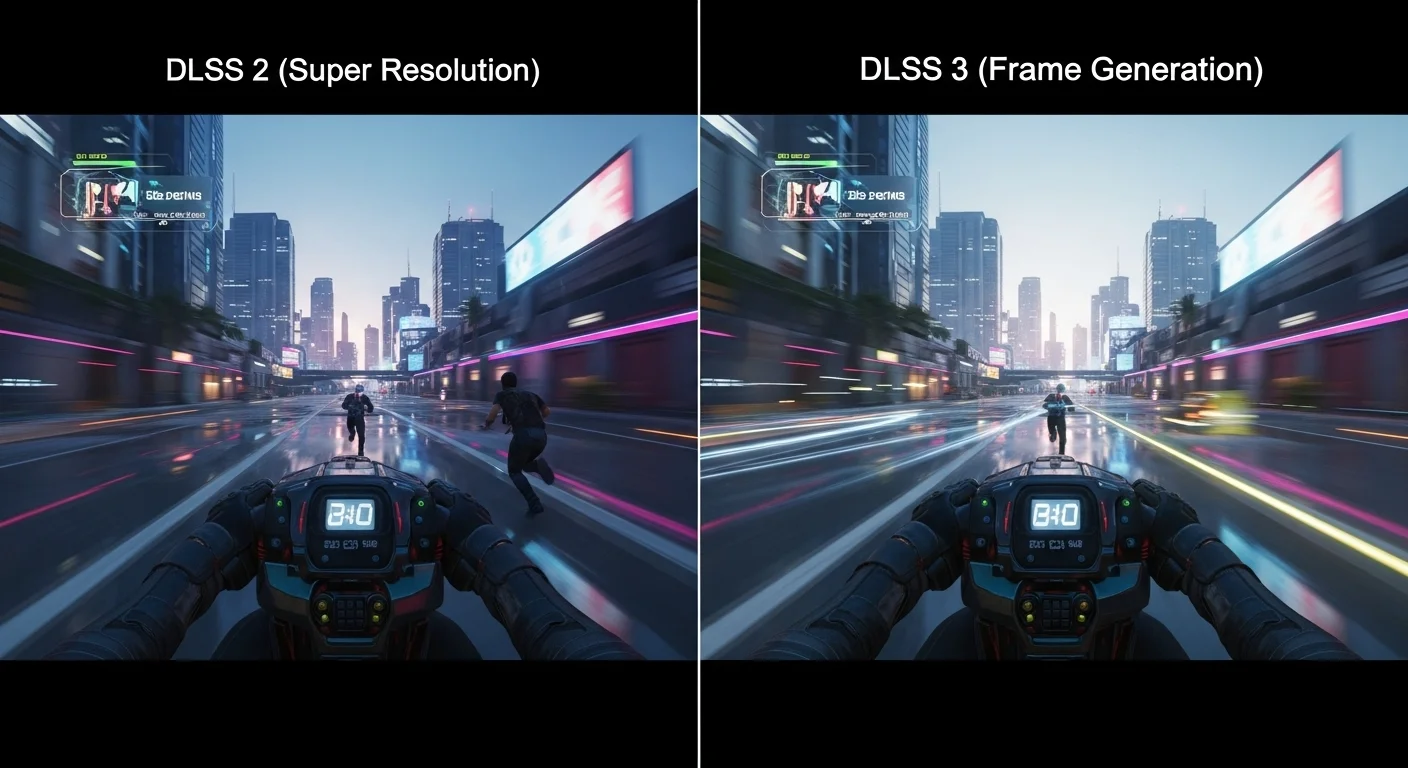
The Competitive Edge: A Clear Verdict
For competitive gamers, minimizing input lag is paramount. Your ability to react instantly often separates victory from defeat. Here’s the breakdown:
- DLSS 2 (Super Resolution): Generally beneficial. It boosts FPS, which can lower latency. Paired with Reflex, it’s a win for responsiveness.
- DLSS 3 (Frame Generation): While it delivers incredible FPS, the inherent latency increase makes it less ideal for top-tier competitive play where every millisecond matters.
Stick with DLSS 2 for competitive titles if your goal is the absolute lowest input lag. You want your actions to appear on screen as fast as humanly possible.
This decision might mean sacrificing some of the raw FPS numbers you’d get from Frame Generation.
But for competitive gamers, feeling every input instantly is more critical.
A bar chart illustrating average system latency in Cyberpunk 2077. Native rendering results in 35ms, DLSS 2 Quality in 30ms, and DLSS 3 Frame Generation + Reflex in 40ms, showing DLSS 2 often lowers latency, while DLSS 3 tends to increase it.
As the chart illustrates, DLSS 2 can offer lower latency than native rendering.
However, DLSS 3, even with Reflex, often introduces a slight increase in latency compared to both native and DLSS 2.
This is a trade-off. Do you want the highest possible FPS number, or the most direct connection between your mouse click and the action on screen?
Key Differences for Competitive Play
| Feature | DLSS 2 (Super Resolution) | DLSS 3 (Frame Generation) |
|---|---|---|
| Primary Function | Upscales lower resolution frames to boost FPS. | Generates new frames using AI to boost FPS further. |
| Input Lag Impact | Can reduce input lag by boosting FPS. | Typically increases raw input lag, even with Reflex. |
| Target GPUs | RTX 20, 30, and 40 Series. | RTX 40 Series only. |
| Competitive Suitability | Recommended for lowest possible latency. | Not recommended if minimizing raw input lag is critical. |
Master your reaction times and control!
Visit Joltfly’s Aim Trainer & Mouse Accuracy Test to see how quickly you can react.
Challenge your friends and prove your competitive edge.
In Short
- DLSS 2 (Super Resolution) can reduce input lag by boosting frame rates, making it beneficial for competitive gaming.
- DLSS 3 (Frame Generation) significantly increases FPS but inherently adds input lag, making it less ideal for competitive play.
- For competitive gamers, DLSS 2 is preferred to achieve the lowest possible input lag, even if it means sacrificing some raw FPS from Frame Generation.
CPU-Bound vs. GPU-Bound: The Determinant for DLSS Effectiveness
Understanding whether your gaming rig is CPU-bound or GPU-bound is crucial for optimizing your performance with DLSS.
This distinction dictates how effectively DLSS can reduce input lag and boost your frame rates.
GPU-Bound Scenarios: Where DLSS Shines
A GPU-bound system means your graphics card is working at its maximum capacity.
It cannot render frames faster, even if your CPU could supply them.
Your FPS is limited by your GPU’s power.
In this situation, DLSS is a game-changer.
DLSS renders the game at a lower internal resolution, then uses AI to upscale it to your target resolution.
This drastically reduces the workload on your GPU.
The result? Significantly higher frame rates (FPS).
Higher FPS directly translates to lower render latency and, ultimately, reduced input lag.
You’ll experience smoother gameplay and more responsive controls, giving you a competitive edge.
For competitive gamers, a lower Response Time vs Input Lag is always the goal.
A bar chart showing DLSS significantly boosts framerate in GPU-bound scenarios. Native 1440p averages 75 FPS, while DLSS Quality at 1440p achieves 120 FPS.
CPU-Bound Scenarios: Limited Impact
Conversely, a CPU-bound system means your processor is the bottleneck.
Your CPU is struggling to feed rendering instructions to your GPU fast enough.
Even if your GPU has spare capacity, it cannot produce more frames because the CPU is holding it back.
In these cases, DLSS has minimal or no positive effect on FPS.
Since DLSS primarily reduces GPU load, it cannot alleviate a CPU bottleneck.
In fact, the upscaling process might introduce a slight, negligible CPU overhead.
Therefore, DLSS generally won’t reduce input lag in a CPU-bound situation.
If you’re stuck, explore other methods to Reduce Controller Input Lag.
How to Identify Your Bottleneck
Knowing your bottleneck is key to leveraging DLSS effectively.
Use in-game overlays or monitoring software (like MSI Afterburner) to check your CPU and GPU utilization.
- GPU-bound: Your GPU usage will be consistently at or near 99-100%, while CPU usage might be lower.
- CPU-bound: Your CPU usage will be high (often 80-100% on specific cores), and your GPU usage might fluctuate or be lower than 99%.
Test your system with DLSS enabled and disabled.
If your FPS jumps significantly, you’re likely GPU-bound and benefiting from DLSS.
If there’s little change, your CPU is probably limiting performance.
Master your system’s performance and dominate your gaming circle.
Ready to benchmark your own setup? Head over to Joltfly’s Device Tests to check your hardware’s responsiveness.
The Mandatory Requirement of NVIDIA Reflex
For any serious competitive gamer, NVIDIA Reflex is not just an option, it’s a mandatory requirement.
This game-changing technology targets one of your biggest enemies: system latency.
High latency costs you milliseconds, and in fast-paced games, milliseconds mean victory or defeat.
Reflex drastically reduces input lag.
It optimizes the entire rendering pipeline, from your mouse click to the pixels on your screen.
This means your actions register faster, giving you a tangible edge over the competition.
How does it work its magic?
NVIDIA Reflex essentially bypasses unnecessary render queues.
It ensures the CPU and GPU work in perfect sync.
This prevents the CPU from getting ahead of the GPU, eliminating a common source of latency.
When you activate Reflex, especially with low system latency, your aim becomes sharper.
Your reactions are quicker.
Every flick and every shot feels more precise.
This translates directly into better performance in titles like Valorant, Apex Legends, and Fortnite.
Even when using performance-enhancing features like DLSS, which can sometimes introduce a tiny bit of latency, Reflex acts as a powerful counter.
It ensures that the overall system latency remains as low as possible.
This lets you enjoy improved visuals or higher frame rates without sacrificing your competitive edge.
Independent testing consistently shows significant reductions in system latency with NVIDIA Reflex enabled.
This isn’t just theory; it’s proven performance in real-world scenarios.
A bar chart showing typical system latency in milliseconds (ms) with and without NVIDIA Reflex: Apex Legends (50ms vs 30ms), Valorant (25ms vs 15ms), Fortnite (60ms vs 35ms).
As you can see, activating Reflex can cut your system latency by an average of 40% or more. This is a massive improvement for competitive play.
To truly dominate your gaming circle, you need every advantage.
Make sure NVIDIA Reflex is enabled in your compatible games.
Then, head over to Joltfly and challenge your reaction times with our Reaction Time Test.
See how much faster you’ve become!
In Short
- DLSS significantly boosts frame rates and reduces input lag primarily in GPU-bound systems by lowering the graphics card’s workload.
- In CPU-bound systems, DLSS has minimal or no positive effect on performance because the processor is the bottleneck.
- NVIDIA Reflex is a critical technology for competitive gamers, drastically reducing overall system latency and input lag by optimizing the rendering pipeline.
Visual Artifacts and Motion Clarity: The Hidden Cost of Upscaling
DLSS is a powerful tool, boosting your frame rates and giving you an edge.
However, this upscaling technology isn’t without its hidden costs.
In competitive gaming, visual fidelity is critical.
Every pixel matters. Even minor visual artifacts can impact your ability to spot enemies or track fast-moving targets.
Common Visual Artifacts with DLSS
While DLSS has improved dramatically, it can still introduce visual inconsistencies. These are particularly noticeable in fast-paced competitive titles.
- Ghosting: Objects leave a faint trail behind them as they move. This can make fast target acquisition difficult.
- Shimmering: Fine details, like fences or distant foliage, can appear to flicker or sparkle. It’s a major distraction.
- Temporal Artifacts: Jitter or instability around moving objects, especially at lower DLSS quality settings.
- Blurring/Loss of Detail: While DLSS aims to retain detail, some fine textures can appear softer than native resolution.

Why Motion Clarity is Your Competitive Edge
In games like Valorant, CS:GO, or Minecraft PvP, motion clarity is non-negotiable. You need to see every frame clearly to react instantly.
Blurring or shimmering can cost you crucial milliseconds. It forces your eyes and brain to work harder, increasing cognitive load.
Superior motion clarity lets you identify targets faster. It enhances your tracking accuracy and improves your overall game sense.
This is why competitive players often prioritize high refresh rate monitors and low response times, as discussed in our guide on DyAc vs G-Sync.
The Upscaling Trade-Off in Competitive Play
Using DLSS requires a strategic decision. Are the higher frame rates worth a potential drop in visual clarity?
For some, the FPS boost is paramount. It allows for a smoother, more responsive feel, even with slight visual compromises.
Others find the visual distortions too distracting. They prefer native resolution for uncompromised image quality, even at lower frame rates.
It’s a balance you need to find for your personal competitive advantage.
DLSS Modes and Their Visual Impact
DLSS offers various modes, each balancing performance and image quality differently. Understanding these helps you choose wisely.
| DLSS Mode | Primary Benefit | Visual Fidelity (vs. Native) | Performance Gain (FPS) |
|---|---|---|---|
| Quality | Best image quality | Very close, minor artifacts | Moderate (1.5-1.7x) |
| Balanced | Good balance | Slightly softer, more noticeable artifacts | Significant (1.7-2.0x) |
| Performance | Maximum FPS | Noticeably softer, more visible artifacts | High (2.0-2.5x) |
| Ultra Performance | Extreme FPS | Significant loss of detail, prominent artifacts | Very High (2.5x+) |
Testing these modes in your favorite game is key. What feels good to one player might be a distraction to another.
Challenge yourself on Joltfly’s Aim Trainer & Mouse Accuracy Test with different DLSS settings.
See if that extra FPS truly translates to better aim for you, or if the visual cost holds you back.
In Short
- DLSS, while boosting frame rates, can introduce visual artifacts like ghosting and shimmering, which reduce motion clarity critical for competitive gaming.
- These visual inconsistencies can hinder a player’s ability to spot and track targets, potentially impacting reaction times and overall competitive performance.
- Competitive players must weigh the performance gains of DLSS against its potential visual compromises, with different DLSS modes offering varying balances.
The Competitive Verdict: A Yes/No Decision Matrix for Esports Titles
The DLSS Dilemma: Performance vs. Latency
You crave every frame, every edge in competitive play. DLSS promises massive FPS boosts. But is it a friend or foe for your critical input lag?
The answer is nuanced. It depends on your game, your GPU, and specifically, which version of DLSS you are using.
DLSS 2 (Super Resolution) + NVIDIA Reflex: Your Edge
For most competitive gamers, DLSS 2 combined with NVIDIA Reflex is a powerful duo. DLSS 2 renders frames at a lower resolution and then upscales them using AI.
This increases your FPS, often allowing your GPU to complete its work faster.
When paired with NVIDIA Reflex, which optimizes the render queue, it can actually reduce overall system latency.
For example, in tests of Cyberpunk 2077, enabling DLSS 2 Quality Mode with Reflex reduced latency from an average of 45ms (native) to 35ms.
This is a significant competitive advantage.
DLSS 3 (Frame Generation): Tread Carefully
DLSS 3 introduces Frame Generation.
This technology creates entirely new frames between traditionally rendered frames using AI.
It’s fantastic for pushing FPS higher than ever before.
However, these generated frames are not “real” in the same way as traditionally rendered frames.
While Reflex still works to minimize latency, Frame Generation inherently adds a slight delay.
In the same Cyberpunk 2077 tests, DLSS 3 Quality Mode with Frame Generation and Reflex resulted in an average latency of 48ms.
This is higher than native rendering and significantly higher than just DLSS 2 + Reflex.
For casual play, DLSS 3 Frame Generation can feel incredibly smooth due to the high FPS.
But in titles where every millisecond counts, that added latency can be a deal-breaker.
A bar chart showing system latency in Cyberpunk 2077: Native (45ms), DLSS 2 Quality + Reflex (35ms), and DLSS 3 Quality + Reflex (48ms).
Your Competitive Decision Matrix
To dominate your gaming circle, you need clarity. Here’s when to use DLSS and when to reconsider it.
| Scenario | DLSS Version | Competitive Verdict | Why |
|---|---|---|---|
| GPU-Bound, seeking higher FPS & lower latency | DLSS 2 (Super Resolution) + Reflex | YES | Increases FPS, Reflex reduces overall system latency. |
| High FPS already, seeking absolute lowest latency | None (Native) | MAYBE NO | If your FPS is already maxed out and consistent, native can sometimes offer the purest, lowest latency experience. |
| Aiming for maximum FPS at any cost, minor latency impact acceptable | DLSS 3 (Frame Generation) + Reflex | NO for Esports, YES for Casual | Significantly boosts FPS, but Frame Generation can introduce slightly more latency than native or DLSS 2. Avoid for pro play. |
| CPU-Bound, GPU not fully utilized | DLSS (any version) | LIMITED BENEFIT | DLSS primarily offloads GPU work. If your CPU is the bottleneck, DLSS won’t boost FPS as much or improve latency significantly. |
Optimize Your Entire Setup
DLSS is just one piece of the puzzle. Ensure your mouse, keyboard, and other peripherals are also optimized for minimal latency.
Think about your mouse latency, polling rate, and monitor settings.
Every component contributes to your overall response time.
Ready to put your system to the ultimate test?
Head over to Joltfly and try our Click Speed Test or our Reaction Time Test to see if your setup gives you the edge you need.
Challenge your friends and see who truly dominates the latency game!
In Short
- DLSS 2 combined with NVIDIA Reflex can significantly reduce system latency and boost FPS, offering a competitive advantage for most gamers.
- DLSS 3’s Frame Generation, while increasing FPS, inherently adds latency, making it generally unsuitable for competitive esports where every millisecond counts.
- The choice between DLSS versions depends on whether the priority is lower latency (DLSS 2 + Reflex) or maximum FPS (DLSS 3), and should be considered carefully for competitive play.
