

Stop staring at load screens and start dominating. DirectStorage is the tech you need to slash wait times and unlock your rig’s full potential.
This guide covers every step to optimize your setup for peak performance. Get ready to experience lightning-fast speeds and crush the competition.
Key Takeaways
- Windows 11 is essential for full DirectStorage support, unlocking GPU decompression for faster game loading.
- Fix ‘BypassIO Not Supported’ errors by updating filter drivers and removing conflicting legacy software.
- PCIe Gen 4 NVMe SSDs offer the best price-to-performance ratio for current DirectStorage titles.
- Verify your DirectStorage status instantly using the Xbox Game Bar overlay during gameplay.
DirectStorage Prerequisites: Windows 10 vs. 11 & Game Bar Verification
Unlock DirectStorage: Your OS Checklist
DirectStorage is a game-changer for loading times and game performance. To leverage its full power, your system needs to meet specific criteria.
Understanding the differences between Windows 10 and Windows 11 is your first step to unlocking this tech.
Windows 10 vs. Windows 11: The Core Difference
While DirectStorage is available on both Windows 10 and Windows 11, the experience isn’t equal.
Windows 11 offers the full, uncompromised version, including GPU decompression.
This means your GPU takes over decompression tasks, freeing up your CPU for other processes and slashing loading times.
Windows 10’s implementation is more limited, primarily offloading storage I/O without the GPU decompression benefits.
For peak performance and the true DirectStorage experience, Windows 11 is the undisputed champion.
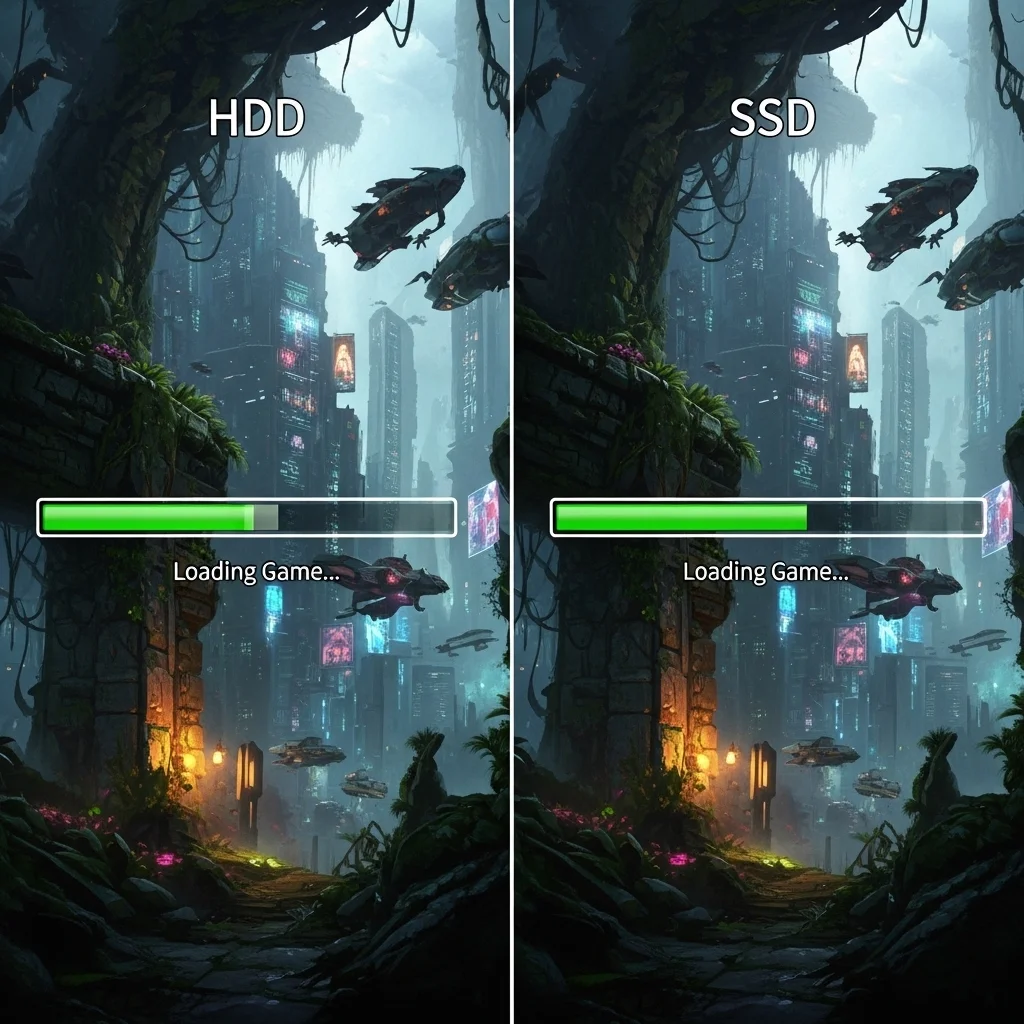
Key Hardware & Software Requirements
No matter your OS, a blazing-fast NVMe SSD is absolutely non-negotiable for DirectStorage.
This technology is built around the rapid data transfer capabilities of NVMe drives.
You also need a DirectX 12 Ultimate-compatible GPU with Shader Model 6.0 support.
Ensure your graphics drivers are always up-to-date for optimal performance and compatibility.
Outdated drivers can severely hinder your gaming experience and DirectStorage benefits.
Operating System Readiness Checklist
- Windows 11 (Recommended): Full DirectStorage support with GPU decompression.
- Windows 10 (Limited): Supports DirectStorage but lacks GPU decompression benefits.
- NVMe SSD: Essential for rapid data transfer.
- DirectX 12 Ultimate GPU: Required for the technology to function.
- Latest Graphics Drivers: Always update for peak performance and bug fixes.
- Game Support: The game itself must be developed with DirectStorage integration.
Verify DirectStorage with Xbox Game Bar
So, how do you know if DirectStorage is actually working in your game? The Xbox Game Bar is your go-to tool.
Press Win + G during gameplay to open the Game Bar overlay.
Look for the “Performance” widget. Click on the “More Details” arrow if it’s not fully expanded.
In the detailed view, you should see a section for “DirectStorage.”
If the game supports it and your system meets the requirements, it will show as “Enabled” or “Active.”
If it’s not showing, double-check your OS, hardware, drivers, and game compatibility.
A bar chart shows Windows OS usage among Steam users in May 2024. Windows 10 64-bit holds 54.12%.
Windows 11 64-bit accounts for 41.67% of users, with smaller percentages for other operating systems.
Optimize Your OS for Peak Gaming
Beyond DirectStorage, a finely tuned operating system is crucial for competitive gaming.
Ensure Windows Game Mode is enabled, but be aware it can sometimes cause issues.
If you experience Windows Game Mode stuttering, explore optimization guides to maintain smooth FPS.
Regularly check for Windows updates. These often include performance enhancements and critical security patches.
Keep background processes to a minimum when gaming to dedicate maximum resources to your game.
Your goal is to eliminate any potential bottlenecks before they impact your reaction time and in-game performance.
Ready to test your system’s limits? Head over to Joltfly’s Device Tests to measure your hardware performance.
In Short
- DirectStorage provides its full benefits, including GPU decompression, exclusively on Windows 11, offering only limited support on Windows 10.
- Key prerequisites for DirectStorage include an NVMe SSD, a DirectX 12 Ultimate GPU, and up-to-date graphics drivers.
- You can verify DirectStorage functionality within a game using the Xbox Game Bar’s Performance widget.
Fix “BypassIO Not Supported” Errors: Filter Driver Optimization
Address the “BypassIO Not Supported” Error Head-On
You’re striving for peak performance, and the “BypassIO Not Supported” error can be a major roadblock to unlocking your PC’s full potential.
This message means your system isn’t fully leveraging DirectStorage, a game-changing technology designed to drastically cut loading times.
Don’t let sluggish load screens steal your precious gaming moments.
It’s time to optimize your filter drivers and gain that crucial edge over the competition.
Understanding Filter Drivers and Their Interference
Filter drivers are small software components that intercept and process I/O requests before they reach your storage device.
While essential for antivirus or backup software, filter drivers can disrupt DirectStorage’s optimized data pipeline.
This interference prevents games from bypassing the CPU and directly loading assets to your GPU, leading to the “BypassIO Not Supported” error.
The result is slower load times and a less responsive gaming experience, directly impacting your competitive edge.
Strategic Steps to Optimize Filter Drivers
To eliminate the “BypassIO Not Supported” error, you need a precise approach to managing your filter drivers.
Follow these steps to ensure DirectStorage runs at its maximum efficiency:
- Update Your OS: Ensure your Windows operating system is fully up to date. Microsoft frequently releases patches that improve DirectStorage compatibility and performance.
- Identify Problematic Software: Review installed applications that might use filter drivers. Common culprits include antivirus programs, backup utilities, and disk encryption software.
- Check Device Manager: In Device Manager, expand “Storage controllers” and “IDE ATA/ATAPI controllers.” Look for any drivers with warnings or older versions.
- Update Storage Drivers: Ensure your NVMe SSD drivers are the latest available from your drive manufacturer. Generic Windows drivers might not fully support DirectStorage. Remember that keeping all your chipset drivers updated is crucial for overall system performance.
- Temporarily Disable or Uninstall: For testing purposes, try temporarily disabling or uninstalling non-essential software that might be causing interference. Re-enable them one by one to pinpoint the exact conflict.
- Consult Game Developers: Some game developers provide specific recommendations or patches for DirectStorage issues. Always check their official forums or support pages.
By systematically addressing these points, you can clear the path for DirectStorage to deliver on its promise.
Unleash Peak Gaming Performance
Optimizing your filter drivers for DirectStorage isn’t just about fixing an error, it’s about transforming your gaming experience.
When DirectStorage works as intended, games can load significantly faster.
For example, DirectStorage 1.1 uses GPU decompression to reduce load times by up to 60% in some titles.
Imagine cutting your wait times dramatically and jumping straight into the action.
A bar chart showing relative game loading times: Traditional Loading Time (100%) versus With DirectStorage + GPU Decompression (40%), indicating a 60% reduction.
This optimization frees up your CPU, allowing it to focus on game logic and physics, leading to smoother frame rates and more consistent performance.
Don’t just play the game, dominate it with unparalleled speed and responsiveness.
After optimizing your setup, head over to Joltfly and test your reaction time or your mouse accuracy.
See how your improved system translates into tangible competitive gains.
Challenge your gaming circle to beat your new scores!
Identifying and Removing Conflicting Legacy Storage Drivers
Unlock Peak DirectStorage Performance
DirectStorage is a game-changer for loading times and open-world experiences. But outdated storage drivers can sabotage its benefits.
You need to clear out any legacy drivers causing conflicts to truly unleash your system’s potential.
Detecting Outdated Storage Drivers
Your PC might be running older storage drivers without you even knowing. These can create bottlenecks, especially with NVMe SSDs.
Modern gaming demands modern solutions. Let’s find those lurking performance killers.
Follow these steps to check your system:
- Press Windows Key + X and select “Device Manager.”
- Expand “Storage controllers” and “IDE ATA/ATAPI controllers.”
- Look for generic or older driver names. Vendor-specific drivers are usually preferred.
- Right-click on suspected drivers and select “Update driver” to check for newer versions.
The Performance Hit of Legacy Drivers
Conflicting storage drivers hinder your NVMe SSD’s ability to communicate efficiently with your GPU.
This means slower loading, micro-stutters, and a less responsive gaming experience. You’re leaving performance on the table.
Don’t let old tech hold back your competitive edge.
Eliminating Conflicting Drivers Safely
Removing outdated drivers requires care. Always have a system restore point ready as a safeguard.
Here’s how to proceed:
Open Device Manager (Windows Key + X).
Locate the legacy storage controller driver you want to remove.
Right-click the driver and select “Uninstall device.”
Check the box “Attempt to remove the driver software for this device” if available.
Restart your PC. Windows will often install a generic, compatible driver. Then, install the latest drivers from your motherboard or SSD manufacturer’s website.
Optimize Your System for DirectStorage
Proper driver management is crucial for any high-performance gaming rig. It’s not just about storage drivers.
Keeping all your drivers, including your chipset drivers, up-to-date ensures optimal system synergy.
This proactive approach eliminates unexpected input lag and stuttering, giving you a smoother experience.
DirectStorage can slash load times dramatically. Some titles show reductions from 20 seconds down to just 2 seconds when configured correctly.
A bar chart illustrating how DirectStorage dramatically reduces game loading times. Without DirectStorage, loading might take 20 seconds, while with DirectStorage, it can drop to 2 seconds.
After optimizing your storage drivers, push your system to the limit. Head over to Joltfly and try our Device Tests to confirm your newfound responsiveness.
Challenge your friends to see who can achieve the lowest latency after these critical optimizations. Dominate your gaming circle!
In Short
- The “BypassIO Not Supported” error indicates DirectStorage is not fully leveraged, causing slow game loading times.
- Filter drivers can interfere with DirectStorage by disrupting its optimized data pipeline, preventing direct asset loading to the GPU.
- Optimizing filter drivers through system updates and identifying problematic software can resolve the error, leading to significantly faster game loading and improved CPU performance.
NVMe Speed Scaling: Gen 3 vs. Gen 4 vs. Gen 5 Cost-Benefit Analysis
Unlock Your Game’s Full Potential with NVMe Speed
Ready to dominate? Understanding NVMe speeds is crucial for a cutting-edge gaming setup, especially with DirectStorage technology.
This guide breaks down PCIe Gen 3, Gen 4, and Gen 5 NVMe SSDs.
We’ll analyze their performance and cost, helping you make the best upgrade decision for peak competitive advantage.
PCIe Gen 3 NVMe: The Solid Baseline
Gen 3 NVMe drives offer significant speed over traditional SATA SSDs. They connect via the PCIe 3.0 interface.
Typical sequential read speeds hit around 3,500 MB/s.
For many gamers, a Gen 3 drive provides a responsive experience, making game loads fast and smooth.
It’s a reliable and cost-effective entry point for modern gaming.
PCIe Gen 4 NVMe: The Current Sweet Spot
Step up your game with PCIe Gen 4 NVMe. These drives leverage the PCIe 4.0 interface, doubling the theoretical bandwidth of Gen 3.
You’ll see sequential read speeds ranging from 5,000 MB/s to a blistering 7,500 MB/s.
This leap in speed dramatically reduces game loading times and asset streaming in current titles.
Gen 4 is widely considered the performance sweet spot for most competitive gamers today.
PCIe Gen 5 NVMe: Future-Proofing Your Rig
For the ultimate edge, PCIe Gen 5 NVMe is here. It uses the latest PCIe 5.0 interface, again doubling Gen 4 bandwidth.
Expect mind-blowing sequential read speeds, pushing beyond 10,000 MB/s, with some drives reaching over 14,000 MB/s.
While still premium, Gen 5 drives are designed for future games and applications that demand extreme data throughput, especially with DirectStorage.
This is for gamers who want zero compromise on speed.
DirectStorage Impact Across Generations
DirectStorage is a game-changer. It allows your GPU to directly access game assets from your NVMe SSD, bypassing CPU bottlenecks.
This tech demands high-bandwidth storage.
Even though Gen 3 benefits from DirectStorage, Gen 4 drives show significantly greater improvement in reducing load times and improving texture streaming.
Gen 5, with its immense bandwidth, is poised to fully unleash DirectStorage’s potential in upcoming titles.
Real-World Gaming Performance & Cost Analysis
Let’s crunch the numbers. While Gen 5 offers incredible peak speeds, the real-world gaming difference between Gen 4 and Gen 5 is currently less pronounced.
Most games today aren’t built to fully saturate Gen 4, let alone Gen 5, bandwidth.
However, as DirectStorage adoption grows, the gap will widen.
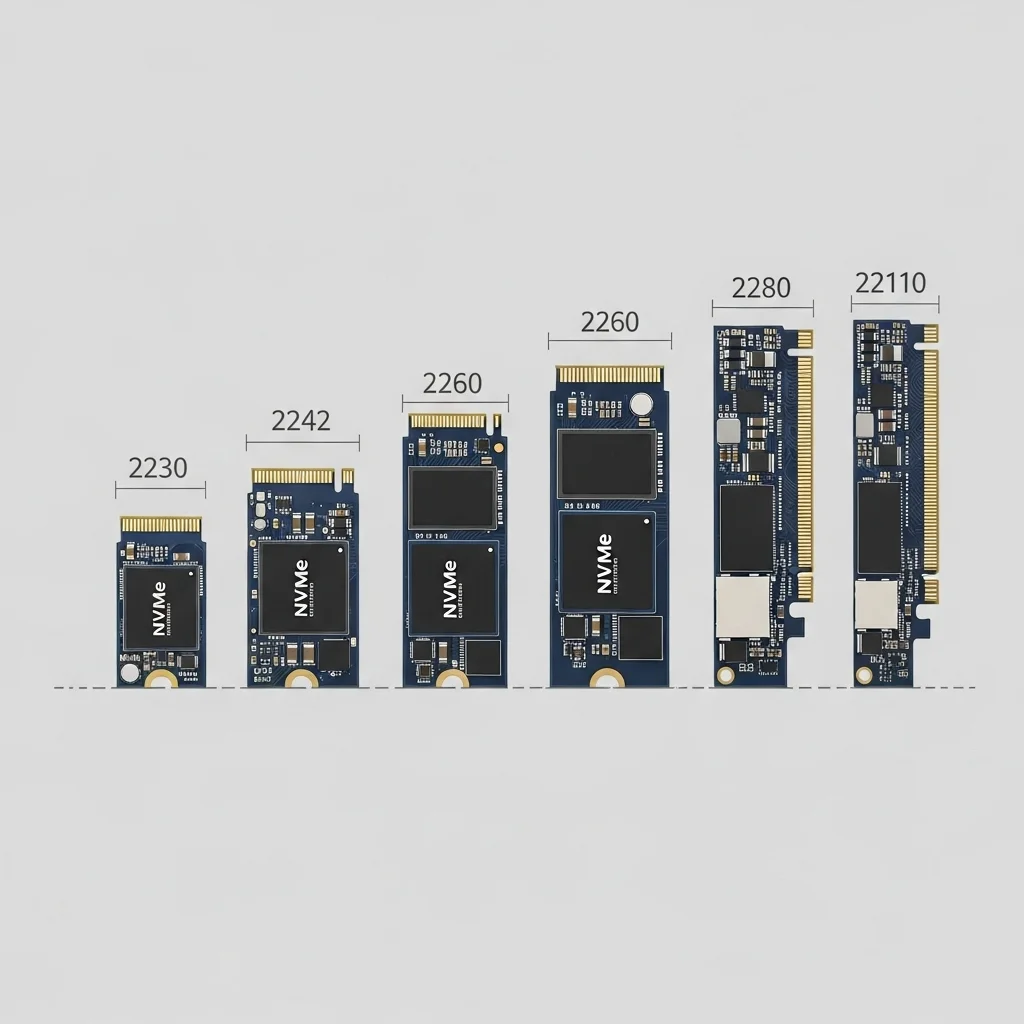
Consider total system optimization. Just like optimizing RAM, selecting the right NVMe is critical for system responsiveness.
NVMe Performance & Cost Comparison (1TB Drives, Approximate)
| NVMe Generation | Sequential Read Speed (MB/s) | Sequential Write Speed (MB/s) | Typical Price (USD) | Gaming Performance Impact |
|---|---|---|---|---|
| PCIe Gen 3 | Up to 3,500 | Up to 3,000 | $50 – $80 | Good, but may bottleneck DirectStorage. |
| PCIe Gen 4 | Up to 7,500 | Up to 6,000 | $80 – $150 | Excellent, ideal for current DirectStorage games. |
| PCIe Gen 5 | Up to 14,000+ | Up to 12,000+ | $150 – $300+ | Future-proof, minimal current real-world gain. |
Reviews show that while Gen 5 drives offer massive speeds, actual load time improvements over Gen 4 are often minimal in current games.
A bar chart showing the average game load time improvement. Gen 3 to Gen 4 offers a significant 35% improvement, while Gen 4 to Gen 5 offers a smaller 5% improvement in load times for an example game.
Making Your NVMe Choice
For most gamers, a Gen 4 NVMe SSD offers the best balance of performance and cost. It boosts DirectStorage titles without breaking the bank.
If you’re building a top-tier, future-proof rig and budget isn’t a concern, Gen 5 is an impressive leap.
But for now, Gen 4 delivers incredible value.
Want to benchmark your responsiveness? Head over to Joltfly and explore our device tests to ensure your setup is optimized.
Supported Games List & GPU Decompression Real-World Impact
Dive into DirectStorage Game Support
DirectStorage is a game-changer, but adoption is growing. You need games that specifically integrate this API to unlock its full potential.
Currently, a select number of titles are leading the charge. These games showcase the incredible benefits of NVMe SSDs paired with DirectStorage.
Expect more AAA titles to incorporate DirectStorage. Developers are continuously optimizing engines for the fastest possible load times.
Keep an eye on announcements from your favorite developers. Support for DirectStorage is a clear sign that a game prioritizes performance and speed.
Key Titles Supporting DirectStorage
Here’s a list of notable games that leverage DirectStorage, giving you a competitive edge with rapid asset streaming.
- Forspoken: One of the first major titles to utilize DirectStorage on PC, demonstrating significant load time reductions.
- Ratchet & Clank: Rift Apart: This game truly highlights DirectStorage with its seamless, instant dimension-hopping.
- Diablo IV: Integrated DirectStorage to enhance loading screens and texture streaming.
- Cyberpunk 2077: Implemented DirectStorage to speed up asset loading, reducing pop-in and overall load times.
GPU Decompression: Real-World Performance Boost
DirectStorage isn’t just about raw speed. GPU decompression is where the true magic happens for competitive gamers.
Traditionally, your CPU handles decompression. This can cause bottlenecks, stuttering, and longer load times in data-intensive games.
With DirectStorage, your GPU takes over. Modern GPUs are efficient at parallel processing, making them superior for decompressing game files.
This offloads the CPU, allowing it to focus on game logic and stability, reducing CPU power limit throttling.
You’ll notice faster texture streaming and consistent frame rates. This translates to a smoother, more responsive gaming experience.
Less time on loading screens means more time dominating. Seamless transitions keep you immersed and focused on the action.
A bar chart showing DirectStorage CPU Usage Reduction in Supported Games: Average Reduction (30%), Maximum Reduction (70%).
Microsoft reports that DirectStorage can reduce CPU usage by an average of 20-40% in supported titles. Some games even see reductions as high as 60-70%.
This massive offload creates headroom for other processes, potentially boosting frame rates or overall system responsiveness.
Combine DirectStorage with other GPU optimizations like DLSS or NVIDIA Reflex for an ultimate performance boost.
Test your load times with DirectStorage titles. Challenge your friends to see who loads fastest with Joltfly’s tools!
In Short
- PCIe Gen 3 NVMe SSDs provide a cost-effective baseline, while Gen 4 is the current sweet spot offering significantly faster speeds for modern gaming.
- PCIe Gen 5 NVMe SSDs offer extreme future-proof speeds, though their real-world gaming performance advantage over Gen 4 is currently minimal.
- DirectStorage technology greatly benefits from higher NVMe bandwidth, with Gen 4 providing significant improvements and Gen 5 poised to unleash its full potential in upcoming titles.
Unleash Your PC’s True Speed
You now possess the knowledge to obliterate load times. Say goodbye to waiting and hello to instant action.
Don’t let your hardware go to waste. Optimize your NVMe SSD and ensure your drivers are updated for peak performance.
Get out there and dominate your gaming circle with blazing speeds. Victory waits for no one!
Frequently Asked Questions
What hardware is required?
You need a fast NVMe SSD and a compatible GPU. Ensure you are running Windows 10 or 11 to unlock these insane speeds.
Does it work on every game?
Not yet. Only titles specifically built with the DirectStorage API support it. Keep an eye on new releases!
Do I need a specific GPU?
Yes, you need a DirectX 12 capable card. NVIDIA RTX 2000 series or newer and AMD RDNA 2 are your best bets for dominance.
